Developers: 3 Production Ready Routes to Build a WhatsApp Chatbot
Developers: 3 Production Ready Routes to Build a WhatsApp Chatbot
Insights
13 min
Three practical routes exist to build a WhatsApp chatbot: the official Cloud API for full control, a no-code platform for speed, and an AI-agent hybrid for knowledge-driven answers. Choose the Cloud API if you need custom logic and don’t mind wiring webhooks yourself. Choose no-code if you want to launch this week. Choose the AI hybrid if your bot needs to answer from your own documents. Every route still requires Meta Business verification and a dedicated phone number.
TL;DR:
Using the Cloud API requires creating and verifying a Meta Business Manager account, obtaining tokens, and setting up a secure HTTPS webhook, which can take several days.
No-code platforms enable quick deployment within a day but limit customization, especially for complex logic or high-volume processing, and require Meta’s message template approval.
Adding AI with memory involves selecting an appropriate language model provider, implementing session storage, and setting confidence thresholds to manage uncertain responses and handoffs.
Deployment for production demands containerization, HTTPS, strict webhook security, rate limit management, and minimal personal data storage to ensure stability and compliance.
Testing should include real-number messaging, template approval, load handling, and monitoring key metrics like resolution rate and customer satisfaction to ensure reliable operation.
Droxydroxy.aiLaunch Your WhatsApp Agent FasterDroxy helps businesses deploy customizable AI agents on WhatsApp and other channels, providing instant answers without building every integration yourself.Explore Droxy
Table of Contents
Which Route to Build Your WhatsApp Chatbot On?
How Do You Build a WhatsApp Chatbot With the Cloud API?
Can You Launch a WhatsApp Bot Without Writing Code?
How Do You Add AI and Memory to a WhatsApp Bot?
What Does a Production-Ready Deployment Checklist Look Like?
How Do You Test and Monitor a WhatsApp Chatbot?
What I’d Tell You Before You Start Building
Launch Your WhatsApp Agent Without the Setup Overhead
Where to Learn More Before You Build
Sources
Which Route to Build Your WhatsApp Chatbot On?
Your choice depends less on preference and more on who’s building it and what the bot needs to do. Here’s how the three routes stack up against each other.
Cloud API (developer path): Full control over logic, integrations, and cost structure, but you own webhook security, hosting, and message handling. Time to launch: a few days for a working prototype if you know Node.js or Python.
No-code platform: Visual builders connect Meta Business to templates and flows in an afternoon. You trade flexibility for speed, and you’re limited by whatever the platform exposes.
AI-agent hybrid: Combines a no-code front end or Cloud API backend with a retrieval layer, so the bot answers from your actual product docs instead of scripted replies. Requires the most setup but delivers the most relevant customer support chatbot experience.
Your first move depends on the route. For the Cloud API, create a Meta Business Manager account today, since verification alone can take a few business days. For no-code, sign up for your chosen platform and connect your Meta Business account immediately. For the hybrid route, clone a starter repo or spin up a no-code AI agent builder and start feeding it your knowledge base.
How Do You Build a WhatsApp Chatbot With the Cloud API?
The developer path gives you the most control, but it comes with real setup work. Here’s the sequence that gets a working bot live.
Create your Meta Business Manager account and verify your business. You’ll also register an app in the Meta Developer Portal. This step alone can stall a launch if your business documents aren’t ready, so start it first.
Grab your Phone Number ID and access token. The WhatsApp Business Cloud API issues these through the developer dashboard. Note that test tokens expire periodically, which trips up many first-time builders who wonder why their bot suddenly stops responding.
Stand up an HTTPS webhook. For local development, ngrok tunnels your localhost to a public HTTPS URL, since Meta refuses to send webhook events over plain HTTP. Set your verify token to match what you configure in the Meta dashboard, and add an
X-Hub-Signature-256check to confirm incoming requests actually came from Meta.Set your environment variables:
WHATSAPP_TOKEN,PHONE_NUMBER_ID,VERIFY_TOKEN, andAPP_SECRETat minimum. A TypeScript Cloud API client shows the exact request shape for sending and receiving messages if you want a working reference instead of building from scratch.Test the send flow with a simple curl command against the
/messagesendpoint using your Phone Number ID and token, then confirm receipt in the Meta dashboard’s webhook logs.
Statistic Callout: WhatsApp charges per conversation rather than per message under Meta’s pricing model, and there is no broad free tier for high-volume business automation, according to Meta’s developer documentation. Business-initiated messages also require pre-approved templates, so plan that approval into your timeline, not after it.
Can You Launch a WhatsApp Bot Without Writing Code?
No-code platforms exist for exactly this reason: get a bot live without touching a webhook handler by following this marketing automation checklist. The typical flow looks like this: you authenticate through OAuth, connect your Meta Business account, link your verified phone number, and import your product docs or FAQ content directly into the platform’s knowledge base.
What you get in exchange for skipping the code:
A visual flow builder for mapping conversation paths without writing conditional logic.
Prebuilt message templates that speed up Meta’s approval process.
Human handoff built in, so a live agent can take over when the bot hits its limits.
Analytics dashboards showing conversation volume, resolution rate, and drop-off points.
The catch: no-code platforms cap out when your logic gets complex, when you need custom integrations with internal systems, or when you’re processing volume that makes per-seat pricing expensive. That’s the moment to graduate to the Cloud API. Workflow templates like n8n’s WhatsApp chatbot builder even show how a retrieval agent gets wired into a product catalog, which blurs the line between “no-code” and “AI hybrid” in practice.
Pro Tip: Before you call a no-code bot “launched,” confirm three things: your message templates are approved, you’ve tested with a real (not sandbox) number, and human handoff actually routes to a person who gets notified.
How Do You Add AI and Memory to a WhatsApp Bot?
Rule-based replies work fine for a bot that answers five fixed questions. The moment your users ask open-ended things, you need retrieval-augmented generation (RAG) pulling answers from your actual documentation instead of a decision tree that breaks on the sixth unexpected phrasing.
Session memory is the part most builders skip and regret. Without it, every message looks like a first message to your AI model, and the bot forgets what the customer just said. Key that memory by the sender’s phone number and conversation ID, and store it somewhere durable, not just in application memory, or a server restart wipes every active conversation.
A few other things to get right before you scale AI replies:
Pick your LLM provider based on latency and cost per conversation, not just benchmark scores. Switching providers later is possible but adds engineering overhead.
Build a confidence threshold: when the retriever comes back unsure, hand off to a human instead of guessing.
Log every handoff reason. That log becomes your roadmap for what’s missing from your knowledge base.
Write your system prompt to stay in the brand’s voice and to explicitly decline questions outside its scope.
What Does a Production-Ready Deployment Checklist Look Like?
Getting a bot to respond on your laptop is easy. Getting it to survive real traffic without leaking secrets or falling over is a different job. A production tutorial from freeCodeCamp lays out the pattern most reliable deployments follow.
Containerize your app with Docker and deploy it to a cloud VM or managed hosting service, rather than running it directly on a bare server.
Put HTTPS in front of everything through a load balancer or reverse proxy. Meta will not deliver webhook events to an unencrypted endpoint.
Lock down your webhook. Validate the verify token on setup, check the
X-Hub-Signature-256header on every incoming request, and reject anything over plain HTTP outright.Respect Meta’s rate limits. Build retry logic with backoff instead of hammering the API when a request fails, and centralize your logs so you can spot failures before customers complain.
Minimize stored personal data. Keep phone numbers and message content only as long as you need them, and store your API secrets in a secrets manager, not in your codebase.
Pro Tip: Firewall rules matter more than most builders expect. Open only the ports your webhook and health checks actually need, and close everything else before you go live.
How Do You Test and Monitor a WhatsApp Chatbot?
Testing a WhatsApp bot means more than sending yourself a message and calling it done. Run your webhook through ngrok during development, test against a real (non-sandbox) number, and confirm your message templates cleared Meta’s approval queue before you promise a launch date to anyone.
Before calling it launched, check that:
Templates are approved, not just submitted.
Human handoff is wired to a real notification, not a dead inbox.
Your webhook has survived a basic load test without dropping messages.
Once live, track conversation cost per interaction, resolution rate (how often the bot solves the issue without escalation), fallback rate (how often it hands off), response latency, and customer satisfaction where you can capture it. If any metric spikes badly after a deploy, have a rollback plan ready. Redeploying the previous container image is usually faster than debugging live.
What I’d Tell You Before You Start Building
Prototype on a no-code platform first, even if you’re a developer. It validates your conversation design before you sink hours into custom code you might throw away. Move to the Cloud API once you need control over logic or you’re scaling past what templates can handle. Don’t skip business verification early since it’s the step most likely to stall your timeline, and never scale AI replies without session memory and a working human handoff already in place.
— Elena
Launch Your WhatsApp Agent Without the Setup Overhead
Every route above works, but they all cost you time: webhook code to maintain, no-code flows to rebuild once you outgrow them, or an AI stack to wire together from scratch. Droxy skips that trade-off entirely. It’s a no-code platform that deploys AI agents directly to WhatsApp, alongside website chat, phone, Instagram, Facebook, and Shopify, from one dashboard.

A suitable platform fits when you want a bot live fast without losing the parts that matter: knowledge integration from your existing documents, human handoff when the bot hits its limits, appointment booking, lead capture, and analytics that show what’s actually happening in your conversations. Agencies and consultants can even white-label the whole thing under their own brand for client work. If your business runs on WhatsApp and you don’t want to own the webhook infrastructure, check Droxy’s pricing and start a trial to see your first agent live today.
Where to Learn More Before You Build
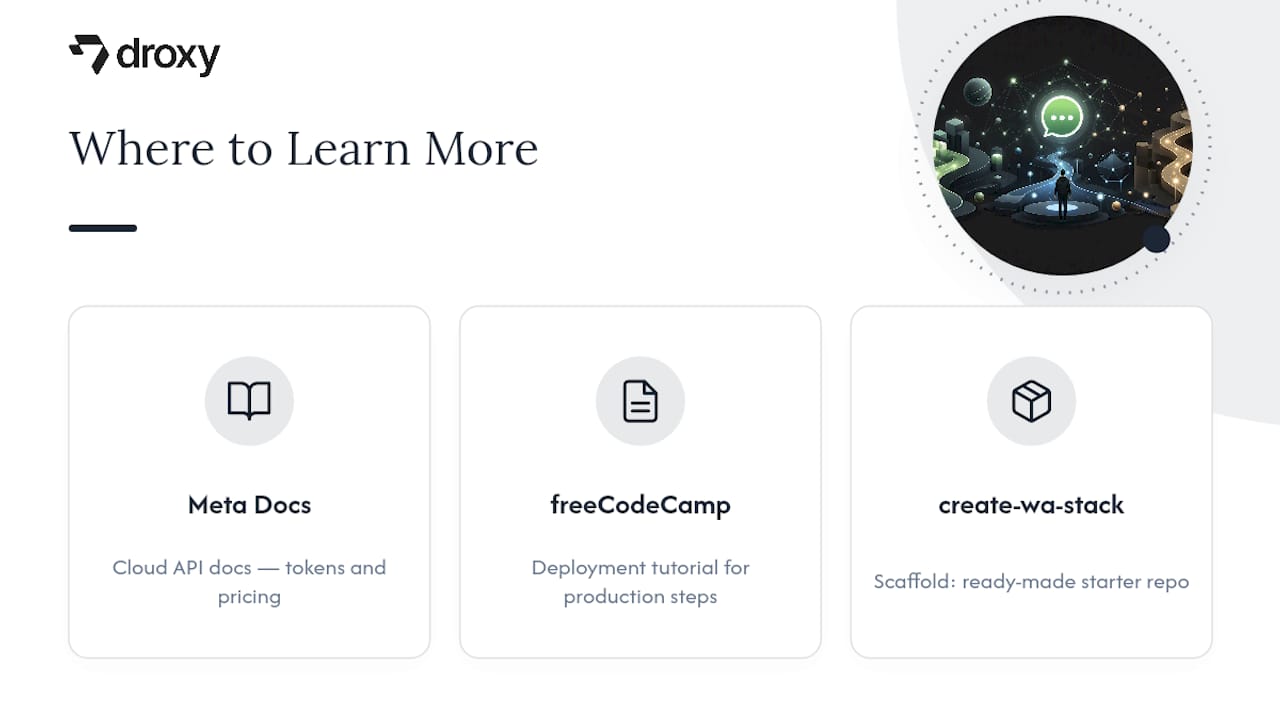
Start with Meta’s official Cloud API docs for tokens and pricing, the freeCodeCamp deployment tutorial for production steps, and the create-wa-stack scaffold for a ready-made starter repo.
Sources
FAQ
Is There a Free API for Building a WhatsApp Chatbot?
The Cloud API itself has no signup fee, but Meta charges per conversation once you’re messaging real customers, so there’s no broad free tier for business automation at volume.
Is a WhatsApp Bot Free to Run?
Development and testing are free, but production use runs on Meta’s conversation-based pricing model, and template-approved business-initiated messages carry their own cost.
Can I Build a WhatsApp Bot Using Python?
Yes. Python frameworks like Flask or FastAPI are common choices for handling the webhook and message-processing loop, and ngrok is the standard tool for testing that webhook locally before deployment.
Is There a WhatsApp AI Chatbot Option?
Yes. You can wire an LLM and retrieval layer into a Cloud API build yourself, or use a no-code AI agent platform like Droxy that connects directly to WhatsApp with knowledge integration and human handoff already built in.
Recommended
Three practical routes exist to build a WhatsApp chatbot: the official Cloud API for full control, a no-code platform for speed, and an AI-agent hybrid for knowledge-driven answers. Choose the Cloud API if you need custom logic and don’t mind wiring webhooks yourself. Choose no-code if you want to launch this week. Choose the AI hybrid if your bot needs to answer from your own documents. Every route still requires Meta Business verification and a dedicated phone number.
TL;DR:
Using the Cloud API requires creating and verifying a Meta Business Manager account, obtaining tokens, and setting up a secure HTTPS webhook, which can take several days.
No-code platforms enable quick deployment within a day but limit customization, especially for complex logic or high-volume processing, and require Meta’s message template approval.
Adding AI with memory involves selecting an appropriate language model provider, implementing session storage, and setting confidence thresholds to manage uncertain responses and handoffs.
Deployment for production demands containerization, HTTPS, strict webhook security, rate limit management, and minimal personal data storage to ensure stability and compliance.
Testing should include real-number messaging, template approval, load handling, and monitoring key metrics like resolution rate and customer satisfaction to ensure reliable operation.
Droxydroxy.aiLaunch Your WhatsApp Agent FasterDroxy helps businesses deploy customizable AI agents on WhatsApp and other channels, providing instant answers without building every integration yourself.Explore Droxy
Table of Contents
Which Route to Build Your WhatsApp Chatbot On?
How Do You Build a WhatsApp Chatbot With the Cloud API?
Can You Launch a WhatsApp Bot Without Writing Code?
How Do You Add AI and Memory to a WhatsApp Bot?
What Does a Production-Ready Deployment Checklist Look Like?
How Do You Test and Monitor a WhatsApp Chatbot?
What I’d Tell You Before You Start Building
Launch Your WhatsApp Agent Without the Setup Overhead
Where to Learn More Before You Build
Sources
Which Route to Build Your WhatsApp Chatbot On?
Your choice depends less on preference and more on who’s building it and what the bot needs to do. Here’s how the three routes stack up against each other.
Cloud API (developer path): Full control over logic, integrations, and cost structure, but you own webhook security, hosting, and message handling. Time to launch: a few days for a working prototype if you know Node.js or Python.
No-code platform: Visual builders connect Meta Business to templates and flows in an afternoon. You trade flexibility for speed, and you’re limited by whatever the platform exposes.
AI-agent hybrid: Combines a no-code front end or Cloud API backend with a retrieval layer, so the bot answers from your actual product docs instead of scripted replies. Requires the most setup but delivers the most relevant customer support chatbot experience.
Your first move depends on the route. For the Cloud API, create a Meta Business Manager account today, since verification alone can take a few business days. For no-code, sign up for your chosen platform and connect your Meta Business account immediately. For the hybrid route, clone a starter repo or spin up a no-code AI agent builder and start feeding it your knowledge base.
How Do You Build a WhatsApp Chatbot With the Cloud API?
The developer path gives you the most control, but it comes with real setup work. Here’s the sequence that gets a working bot live.
Create your Meta Business Manager account and verify your business. You’ll also register an app in the Meta Developer Portal. This step alone can stall a launch if your business documents aren’t ready, so start it first.
Grab your Phone Number ID and access token. The WhatsApp Business Cloud API issues these through the developer dashboard. Note that test tokens expire periodically, which trips up many first-time builders who wonder why their bot suddenly stops responding.
Stand up an HTTPS webhook. For local development, ngrok tunnels your localhost to a public HTTPS URL, since Meta refuses to send webhook events over plain HTTP. Set your verify token to match what you configure in the Meta dashboard, and add an
X-Hub-Signature-256check to confirm incoming requests actually came from Meta.Set your environment variables:
WHATSAPP_TOKEN,PHONE_NUMBER_ID,VERIFY_TOKEN, andAPP_SECRETat minimum. A TypeScript Cloud API client shows the exact request shape for sending and receiving messages if you want a working reference instead of building from scratch.Test the send flow with a simple curl command against the
/messagesendpoint using your Phone Number ID and token, then confirm receipt in the Meta dashboard’s webhook logs.
Statistic Callout: WhatsApp charges per conversation rather than per message under Meta’s pricing model, and there is no broad free tier for high-volume business automation, according to Meta’s developer documentation. Business-initiated messages also require pre-approved templates, so plan that approval into your timeline, not after it.
Can You Launch a WhatsApp Bot Without Writing Code?
No-code platforms exist for exactly this reason: get a bot live without touching a webhook handler by following this marketing automation checklist. The typical flow looks like this: you authenticate through OAuth, connect your Meta Business account, link your verified phone number, and import your product docs or FAQ content directly into the platform’s knowledge base.
What you get in exchange for skipping the code:
A visual flow builder for mapping conversation paths without writing conditional logic.
Prebuilt message templates that speed up Meta’s approval process.
Human handoff built in, so a live agent can take over when the bot hits its limits.
Analytics dashboards showing conversation volume, resolution rate, and drop-off points.
The catch: no-code platforms cap out when your logic gets complex, when you need custom integrations with internal systems, or when you’re processing volume that makes per-seat pricing expensive. That’s the moment to graduate to the Cloud API. Workflow templates like n8n’s WhatsApp chatbot builder even show how a retrieval agent gets wired into a product catalog, which blurs the line between “no-code” and “AI hybrid” in practice.
Pro Tip: Before you call a no-code bot “launched,” confirm three things: your message templates are approved, you’ve tested with a real (not sandbox) number, and human handoff actually routes to a person who gets notified.
How Do You Add AI and Memory to a WhatsApp Bot?
Rule-based replies work fine for a bot that answers five fixed questions. The moment your users ask open-ended things, you need retrieval-augmented generation (RAG) pulling answers from your actual documentation instead of a decision tree that breaks on the sixth unexpected phrasing.
Session memory is the part most builders skip and regret. Without it, every message looks like a first message to your AI model, and the bot forgets what the customer just said. Key that memory by the sender’s phone number and conversation ID, and store it somewhere durable, not just in application memory, or a server restart wipes every active conversation.
A few other things to get right before you scale AI replies:
Pick your LLM provider based on latency and cost per conversation, not just benchmark scores. Switching providers later is possible but adds engineering overhead.
Build a confidence threshold: when the retriever comes back unsure, hand off to a human instead of guessing.
Log every handoff reason. That log becomes your roadmap for what’s missing from your knowledge base.
Write your system prompt to stay in the brand’s voice and to explicitly decline questions outside its scope.
What Does a Production-Ready Deployment Checklist Look Like?
Getting a bot to respond on your laptop is easy. Getting it to survive real traffic without leaking secrets or falling over is a different job. A production tutorial from freeCodeCamp lays out the pattern most reliable deployments follow.
Containerize your app with Docker and deploy it to a cloud VM or managed hosting service, rather than running it directly on a bare server.
Put HTTPS in front of everything through a load balancer or reverse proxy. Meta will not deliver webhook events to an unencrypted endpoint.
Lock down your webhook. Validate the verify token on setup, check the
X-Hub-Signature-256header on every incoming request, and reject anything over plain HTTP outright.Respect Meta’s rate limits. Build retry logic with backoff instead of hammering the API when a request fails, and centralize your logs so you can spot failures before customers complain.
Minimize stored personal data. Keep phone numbers and message content only as long as you need them, and store your API secrets in a secrets manager, not in your codebase.
Pro Tip: Firewall rules matter more than most builders expect. Open only the ports your webhook and health checks actually need, and close everything else before you go live.
How Do You Test and Monitor a WhatsApp Chatbot?
Testing a WhatsApp bot means more than sending yourself a message and calling it done. Run your webhook through ngrok during development, test against a real (non-sandbox) number, and confirm your message templates cleared Meta’s approval queue before you promise a launch date to anyone.
Before calling it launched, check that:
Templates are approved, not just submitted.
Human handoff is wired to a real notification, not a dead inbox.
Your webhook has survived a basic load test without dropping messages.
Once live, track conversation cost per interaction, resolution rate (how often the bot solves the issue without escalation), fallback rate (how often it hands off), response latency, and customer satisfaction where you can capture it. If any metric spikes badly after a deploy, have a rollback plan ready. Redeploying the previous container image is usually faster than debugging live.
What I’d Tell You Before You Start Building
Prototype on a no-code platform first, even if you’re a developer. It validates your conversation design before you sink hours into custom code you might throw away. Move to the Cloud API once you need control over logic or you’re scaling past what templates can handle. Don’t skip business verification early since it’s the step most likely to stall your timeline, and never scale AI replies without session memory and a working human handoff already in place.
— Elena
Launch Your WhatsApp Agent Without the Setup Overhead
Every route above works, but they all cost you time: webhook code to maintain, no-code flows to rebuild once you outgrow them, or an AI stack to wire together from scratch. Droxy skips that trade-off entirely. It’s a no-code platform that deploys AI agents directly to WhatsApp, alongside website chat, phone, Instagram, Facebook, and Shopify, from one dashboard.
A suitable platform fits when you want a bot live fast without losing the parts that matter: knowledge integration from your existing documents, human handoff when the bot hits its limits, appointment booking, lead capture, and analytics that show what’s actually happening in your conversations. Agencies and consultants can even white-label the whole thing under their own brand for client work. If your business runs on WhatsApp and you don’t want to own the webhook infrastructure, check Droxy’s pricing and start a trial to see your first agent live today.
Where to Learn More Before You Build
Start with Meta’s official Cloud API docs for tokens and pricing, the freeCodeCamp deployment tutorial for production steps, and the create-wa-stack scaffold for a ready-made starter repo.
Sources
FAQ
Is There a Free API for Building a WhatsApp Chatbot?
The Cloud API itself has no signup fee, but Meta charges per conversation once you’re messaging real customers, so there’s no broad free tier for business automation at volume.
Is a WhatsApp Bot Free to Run?
Development and testing are free, but production use runs on Meta’s conversation-based pricing model, and template-approved business-initiated messages carry their own cost.
Can I Build a WhatsApp Bot Using Python?
Yes. Python frameworks like Flask or FastAPI are common choices for handling the webhook and message-processing loop, and ngrok is the standard tool for testing that webhook locally before deployment.
Is There a WhatsApp AI Chatbot Option?
Yes. You can wire an LLM and retrieval layer into a Cloud API build yourself, or use a no-code AI agent platform like Droxy that connects directly to WhatsApp with knowledge integration and human handoff already built in.
Recommended



🚀
Powered by Droxy
Turn every interaction into a conversion
Customer facing AI agents that engage, convert, and support so you can scale what matters.
✨
Learn more
Recent posts

Insights
3 min read
Introducing Agent Memories
Improve your agents' performance with Agent Memories. Prevent agents from repeating the same mistakes by giving them feedback.
Read more

Insights
15 min read
HVAC Marketing in 2025: The Definitive Lead Gen Guide
Discover 15 proven HVAC marketing strategies, plus learn how Droxy's AI website agent converts curious visitors into qualified leads by answering their questions instantly - right when they're most interested in your services.
Read more

Insights
10 min read
10 Best AI Sales Agents in 2025: Tested & Ranked
Discover the top 10 AI sales agents of 2025, designed to enhance lead generation, personalize outreach, and ultimately, close more deals
Read more
Insights
3 min read
Introducing Agent Memories
Improve your agents' performance with Agent Memories. Prevent agents from repeating the same mistakes by giving them feedback.
Read more
Insights
15 min read
HVAC Marketing in 2025: The Definitive Lead Gen Guide
Discover 15 proven HVAC marketing strategies, plus learn how Droxy's AI website agent converts curious visitors into qualified leads by answering their questions instantly - right when they're most interested in your services.
Read more