Chatbot PII Masking: How It Works and How to Set It Up
Chatbot PII Masking: How It Works and How to Set It Up
Insights
19 min

Chatbot PII masking means detecting personal data in a conversation, such as names, emails, phone numbers and card numbers, and replacing it with placeholders before the text reaches the AI model or your logs. Done well, the model still understands the request, your customer still gets a personal reply, and the raw data stays inside your own environment. This guide covers the methods, the trade-offs, what to mask, how to test it and which rules may apply to you.
DroxyMake Customer Conversations More ResponsiveDroxy deploys customizable AI agents across chat and messaging channels, helping businesses answer customer inquiries instantly, around the clock.Visit
TL;DR
PII masking swaps sensitive values for placeholders before a prompt goes to the model. Reversible versions restore the real values in the reply shown to your customer.
Masking, redaction, tokenization and anonymization are different things. Which one you pick decides whether you can restore the original value later.
Mask in three places: the customer’s message, the model’s reply and your stored logs. Masking only the prompt just moves the problem to your log store.
No detector catches everything. Test with labeled samples, planted dummy values and a full round trip, and rerun the tests after every change.
Under GDPR, reversibly masked data still counts as personal data, so you need a legal basis and safeguards either way.
Table of Contents
What chatbot PII masking actually does
Masking, redaction, tokenization and anonymization
What to detect and mask
How masking works step by step
Choosing a detection approach
What masking does not fix
How to test that your masking works
Privacy rules that may apply
Our perspective
Put customer privacy to work with Droxy
A practical setup checklist
Sources
What chatbot PII masking actually does
PII stands for personally identifiable information. In a customer chat it shows up constantly: a shopper types an order number and email, a patient mentions a date of birth, a homeowner gives an address for a repair visit.
With masking in place, a filter sits between the customer and the model. It finds the personal details, swaps them for placeholders, and only then lets the text move on. A message like “Hi, I’m Dana Whitfield, my email is dana@example.com” becomes “Hi, I’m PERSON_1, my email is EMAIL_1”. The model reasons about the placeholders and never sees the real values.
The approach is widely described as a prompt-side safeguard: values such as names, email addresses and account numbers are detected in the prompt and replaced with placeholders before the text goes to the model provider. If you are new to the wider vocabulary of chatbot privacy techniques, this overview of chatbots in business gives useful grounding.
Why it matters for you as a business owner:
Fewer places hold raw customer data. Every system that sees a real email address is a system you must secure and disclose.
Smaller blast radius. If a log, vendor or integration is exposed, placeholders reveal far less than names and card numbers.
Easier trust conversations. Healthcare practices, real estate teams and online stores all field questions about where customer details go. A clear masking design gives you a clear answer.
Masking, redaction, tokenization and anonymization
People use these words loosely, and vendors define them differently. The distinctions below follow the common technical usage. What matters is whether you can get the original value back.
Technique | What happens to the value | Reversible? | Best for |
|---|---|---|---|
Redaction | The value is removed or replaced with a fixed label like [PERSON] | No | Logs, analytics, anything that never needs the original |
Masking | The value is partly hidden, for example showing only the last four digits | Rarely | Display screens, receipts, agent dashboards |
Tokenization | The value is replaced with a token, and a protected table maps the token back | Yes, with the mapping | Conversations where the reply must include the real name or number |
Anonymization | Personal data is removed for good so no one can identify the person | No | Datasets you share or keep long term |
The piighost documentation puts the core distinction plainly: anonymization removes personal data permanently, while pseudonymization uses a placeholder that a separate mapping can reverse. Redaction deletes a value from the text, and masking hides part of it. IdenticAPI’s comparison draws the same three-way line between redaction, partial masking and vault-backed tokenization.
In chatbot work, the practical question is this: does the reply need the real value? If the bot says “Thanks, Dana, your appointment is confirmed,” something has to restore the name. That calls for reversible tokens. If the conversation is only going into a quality-review archive, irreversible redaction is safer and simpler.
What to detect and mask
Start with the obvious identifiers, then widen. A solid baseline covers:
Direct identifiers: full names, email addresses, phone numbers, street addresses, usernames.
Financial data: card numbers, expiry dates, CVV codes and bank account numbers.
Government and account IDs: in the US, Social Security numbers, passport numbers, driver’s license numbers and tax identification numbers.
Credentials: passwords, session tokens and API keys that customers or staff paste into a chat.
Technical identifiers: IP addresses, device addresses, license plates and vehicle identification numbers.
Sensitive attributes: health details, biometric data, precise location, employment and education details.
Your own formats: order numbers, membership IDs and booking references that a generic detector does not know.
As a reference point for built-in categories, the Amazon Bedrock Guardrails documentation lists types such as name, email, phone, address, card number, CVV, IP address, and US-specific entries including Social Security and bank account numbers. Use a list like that as a checklist, then add the identifiers unique to your business.
Three places to mask, not one
The incoming message, before it reaches the model.
Retrieved context, such as help articles, CRM notes or past tickets the bot pulls in to answer. Personal data can enter here without the customer typing it.
The model’s reply and the stored transcript. The model can echo or invent personal details, and your logs often outlive the conversation.
This two-sided inspection, checking the assembled prompt before it goes out and the response before it is returned or stored, is recommended for agent systems because it catches PII that arrives through context and PII the model adds.
How masking works step by step
Most reversible setups follow the same four-step flow. UiPath’s documentation describes it as detection, pseudonymization, the model call and rehydration:
Detection. The system scans the text for entities such as people, emails and numbers, ideally using language-specific recognition.
Replacement. Each value becomes a contextual placeholder like person_1 or email_1.
Model call. Only the masked text goes to the AI model.
Restoration. The placeholders in the reply are swapped back to the original values, so the customer sees a natural answer.
The mapping between placeholders and real values is the sensitive piece. A sensible design scopes tokens to a single session, encrypts and expires the mapping, and restores real values only at the last step before display. For a plain-language explanation of the layer that sits in this path, see how an LLM proxy works and where its protection ends.
A worked example
Imagine a home services company. A customer writes: “My name is Marcus Lee, my AC stopped at 214 Maple Street, call me on 555-0142.”
Masked prompt to the model: “My name is PERSON_1, my AC stopped at ADDRESS_1, call me on PHONE_1.”
Model reply: “Thanks, PERSON_1. I can book a technician for ADDRESS_1. Is tomorrow morning good?”
Restored reply to the customer: “Thanks, Marcus. I can book a technician for 214 Maple Street. Is tomorrow morning good?”
The booking system receives the real values through a trusted integration, and the model provider never does.
Choosing a detection approach
There is no single best detector. Most teams layer several, cheapest first:
Pattern matching (regex with validation) works well for structured data like card numbers, emails and Social Security numbers. It is fast and predictable but blind to free text.
Statistical or machine-learning entity recognition finds names, places and organizations in unstructured sentences. It is slower and can miss unusual spellings.
LLM-assisted detection handles edge cases where accuracy matters more than speed, but it adds cost and delay, so many teams reserve it for high-risk paths.
For a practical rule of thumb, one implementation guide recommends pattern matching for well-structured identifiers, machine-learning classifiers for less structured text, and LLM assistance for edge cases. Published benchmarks put the delay from these layers anywhere from near zero to a few hundred milliseconds per message depending on the tier, which is a real consideration for live voice and chat where every pause is noticeable. Run your own timing under realistic load before you commit.
The trade-offs to weigh
Reversibility versus risk. Reversible tokens keep replies natural but create a mapping you must protect. Irreversible redaction is safest but the model loses information.
Accuracy versus over-masking. Aggressive detectors flag ordinary words and degrade answers. Scope detectors to your domain, then compare task success with masking on and off.
Language coverage. A detector tuned on English may miss names, addresses and ID formats in other languages. If you serve multilingual customers, test every language you support separately.
Speed. Chain cheap checks first and use heavier ones only where a missed identifier would be costly, such as health or financial conversations.
Long conversations. Tokens must stay consistent across a whole chat, and mappings that expire too early can break a session that runs long.
What masking does not fix
Masking reduces exposure. It does not make a chatbot risk-free, and a careful setup plans for the gaps:
Detection misses. A diagnosis described in a sentence, a rare surname that reads like a common noun, or an order number in your own format can slip through.
Context identifies people. A description such as a unique job title at a small office can point to one person without any name appearing.
Non-text content. Images and PDFs shared in a chat cannot be scanned the way plain text can.
Logs written too early. If your app records the original message before masking, the clear text sits in your logs. Security practitioners point out that logging the original prompt simply moves the compliance problem from the model provider to your own log store. Mask first, then log, or log metadata only.
This is why masking belongs inside a broader program. Our guide to AI chatbot security covers access control, encryption and monitoring around it, and the piece on AI chatbot ethics covers consent and transparency with your customers.
How to test that your masking works
Build the test before launch, and repeat it often.
Create a labeled sample set. Collect realistic messages, including typos, slang, pasted emails and mixed languages, and label every piece of PII in them.
Measure per entity type. Report how many real values were caught (recall) and how many flagged values were genuinely personal (precision) for names, emails, phones, cards and IDs separately. A strong average can hide a weak category.
Plant canary values. Add fake but unique identifiers to test traffic, then search your logs, vendor dashboards and exports for them. If a canary appears in clear text, you have found a leak.
Test the round trip. Confirm that tokenizing, calling the model and restoring returns the exact original values. Dell’s evaluation framework for enterprise masking names five dimensions: identification coverage, masking correctness, reversibility and fidelity, tool-call integrity and operational behavior. Tool-call integrity matters for chatbots that book appointments or update records, because the booking system needs the real value, not the placeholder.
Retest on every change. A new language, a new detector version or a new integration can change what gets caught.
If you handle health information or payment data, bring in your compliance lead or a qualified privacy professional to set the acceptance thresholds.
Privacy rules that may apply
Masking is a technical control. The legal duties around personal data apply whether or not you mask. The rules differ by country, so check the ones that govern your customers.
United States. There is no single federal privacy law covering all chatbots. Sector rules apply instead, and states have their own consumer privacy statutes. Healthcare practices should check HIPAA obligations with their compliance adviser, and any business that takes card payments should follow its payment processor’s data-handling requirements.
European Union. Reversible masking is pseudonymization, and the rules on it are clear. Under GDPR Article 4(5) and Recital 26, pseudonymized data that could be attributed to a person using additional information is still personal data. The same regulation notes in Recital 28 that pseudonymization can reduce risks to the people concerned and help controllers and processors meet their obligations. In practice, whoever holds the token mapping is processing personal data and needs a lawful basis, appropriate security and a place in your records.

Your own paperwork. Whatever the jurisdiction, your chatbot’s data practices should be reflected in what you tell customers. Our guide to the clauses a chatbot privacy policy needs is a good starting checklist. Because laws change, confirm current requirements with a lawyer in each market you serve.
Our perspective
We talk with business owners every week who want instant answers for customers without losing sleep over where customer data ends up. Our view is simple: privacy should be designed into the conversation flow, not bolted on after launch.
That is why we built Droxy around robust safeguards, deep customization and integration with the systems you already run. You decide what the agent knows, which knowledge sources it draws on, and when a conversation is handed to a person. Sensitive moments, such as a patient describing symptoms or a customer disputing a charge, are exactly where a human hand-off is the right design.
Our advice is to keep the number of places that hold raw customer data as small as you can, mask or redact before anything is stored, and treat testing as a routine, not a one-time launch task. A chatbot that answers in seconds, around the clock, and still respects your customers’ privacy is a chatbot that builds trust.
Elena
Put customer privacy to work with Droxy
If you are ready to answer customers instantly on your website, by phone, on WhatsApp, Instagram or Facebook, Droxy lets you build and deploy AI agents without code. You can shape the agent’s tone to match your brand, connect your knowledge sources, capture leads, book appointments and route complex cases to your team.
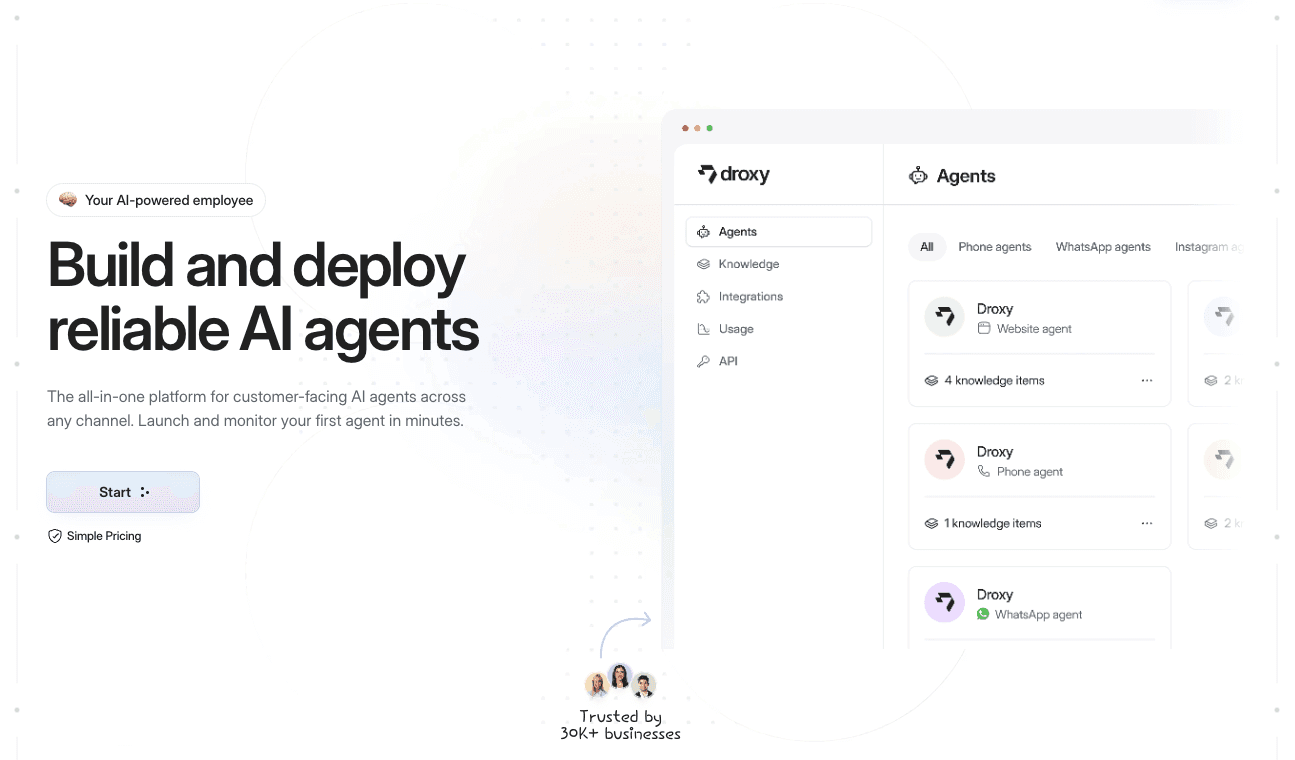
Plans start from $16 per month for Basic, $80 per month for Advanced and $240 per month for Enterprise. Compare them on our pricing page, or explore the website agent to see how a conversation flows from first question to booked appointment. Agencies can look at our white-label agency option.
A practical setup checklist
Use this list when you plan any customer-facing AI agent:
Map every channel (web chat, phone, messaging apps) and note what personal data each one collects.
Decide, per data type, whether the reply needs the real value. If not, redact. If yes, tokenize with a short-lived, encrypted mapping.
Mask before logging, and keep transcripts only as long as you need them.
Add your own identifier formats to the detector, not just the standard list.
Test every language you support, with canary values and a full round trip.
Set a human hand-off for sensitive topics.
Update your privacy policy and review the setup whenever you add a channel or integration.
FAQ
What is the difference between PII masking and PII redaction in a chatbot?
Redaction removes or replaces a value permanently, so it cannot be restored. Masking in everyday chatbot use often means swapping values for placeholders, and in its reversible form (tokenization) a protected mapping lets the real value come back in the reply. Choose redaction for stored logs and reversible tokens when the reply must include the customer’s own details.
Does masking make a chatbot GDPR compliant?
No. Reversible masking counts as pseudonymization, and pseudonymized data is still personal data when it can be linked back to a person with additional information. Masking is a useful safeguard that can reduce risk, but you still need a lawful basis, clear notices and proper security. A privacy professional can confirm what applies to your case.
Does PII masking slow down chatbot responses?
It adds some processing time, and the amount depends on the detection method. Simple pattern checks are very fast, while model-based or external detection takes longer. Layering cheap checks first and reserving heavier ones for high-risk conversations keeps replies quick.
Can masking catch everything?
No detector is perfect. Unusual names, descriptions that identify someone indirectly and your own ID formats are common misses. That is why teams test with labeled samples and planted canary values, and rerun those tests after each change.
Should I mask the chatbot’s replies too?
Yes. Models can repeat personal details or pull them from retrieved documents, and replies often end up in stored transcripts. Checking both the prompt going out and the response coming back keeps your logs clean.
Sources
PII masking for LLMs: Presidio, Nightfall or a gateway (Myra Security)
Anonymization vs pseudonymization, redaction and masking (piighost docs)
Remove PII from conversations by using sensitive information filters (Amazon Bedrock)
How to Block PII in LLM Traffic Before It Leaves Your Environment (Data443)
MAPLE: Masking PII in LLM enterprise deployments (Dell InfoHub)
LLM Proxy: What It Does, Where It Stops, and When You Need More
Recommended
Chatbot PII masking means detecting personal data in a conversation, such as names, emails, phone numbers and card numbers, and replacing it with placeholders before the text reaches the AI model or your logs. Done well, the model still understands the request, your customer still gets a personal reply, and the raw data stays inside your own environment. This guide covers the methods, the trade-offs, what to mask, how to test it and which rules may apply to you.
DroxyMake Customer Conversations More ResponsiveDroxy deploys customizable AI agents across chat and messaging channels, helping businesses answer customer inquiries instantly, around the clock.Visit
TL;DR
PII masking swaps sensitive values for placeholders before a prompt goes to the model. Reversible versions restore the real values in the reply shown to your customer.
Masking, redaction, tokenization and anonymization are different things. Which one you pick decides whether you can restore the original value later.
Mask in three places: the customer’s message, the model’s reply and your stored logs. Masking only the prompt just moves the problem to your log store.
No detector catches everything. Test with labeled samples, planted dummy values and a full round trip, and rerun the tests after every change.
Under GDPR, reversibly masked data still counts as personal data, so you need a legal basis and safeguards either way.
Table of Contents
What chatbot PII masking actually does
Masking, redaction, tokenization and anonymization
What to detect and mask
How masking works step by step
Choosing a detection approach
What masking does not fix
How to test that your masking works
Privacy rules that may apply
Our perspective
Put customer privacy to work with Droxy
A practical setup checklist
Sources
What chatbot PII masking actually does
PII stands for personally identifiable information. In a customer chat it shows up constantly: a shopper types an order number and email, a patient mentions a date of birth, a homeowner gives an address for a repair visit.
With masking in place, a filter sits between the customer and the model. It finds the personal details, swaps them for placeholders, and only then lets the text move on. A message like “Hi, I’m Dana Whitfield, my email is dana@example.com” becomes “Hi, I’m PERSON_1, my email is EMAIL_1”. The model reasons about the placeholders and never sees the real values.
The approach is widely described as a prompt-side safeguard: values such as names, email addresses and account numbers are detected in the prompt and replaced with placeholders before the text goes to the model provider. If you are new to the wider vocabulary of chatbot privacy techniques, this overview of chatbots in business gives useful grounding.
Why it matters for you as a business owner:
Fewer places hold raw customer data. Every system that sees a real email address is a system you must secure and disclose.
Smaller blast radius. If a log, vendor or integration is exposed, placeholders reveal far less than names and card numbers.
Easier trust conversations. Healthcare practices, real estate teams and online stores all field questions about where customer details go. A clear masking design gives you a clear answer.
Masking, redaction, tokenization and anonymization
People use these words loosely, and vendors define them differently. The distinctions below follow the common technical usage. What matters is whether you can get the original value back.
Technique | What happens to the value | Reversible? | Best for |
|---|---|---|---|
Redaction | The value is removed or replaced with a fixed label like [PERSON] | No | Logs, analytics, anything that never needs the original |
Masking | The value is partly hidden, for example showing only the last four digits | Rarely | Display screens, receipts, agent dashboards |
Tokenization | The value is replaced with a token, and a protected table maps the token back | Yes, with the mapping | Conversations where the reply must include the real name or number |
Anonymization | Personal data is removed for good so no one can identify the person | No | Datasets you share or keep long term |
The piighost documentation puts the core distinction plainly: anonymization removes personal data permanently, while pseudonymization uses a placeholder that a separate mapping can reverse. Redaction deletes a value from the text, and masking hides part of it. IdenticAPI’s comparison draws the same three-way line between redaction, partial masking and vault-backed tokenization.
In chatbot work, the practical question is this: does the reply need the real value? If the bot says “Thanks, Dana, your appointment is confirmed,” something has to restore the name. That calls for reversible tokens. If the conversation is only going into a quality-review archive, irreversible redaction is safer and simpler.
What to detect and mask
Start with the obvious identifiers, then widen. A solid baseline covers:
Direct identifiers: full names, email addresses, phone numbers, street addresses, usernames.
Financial data: card numbers, expiry dates, CVV codes and bank account numbers.
Government and account IDs: in the US, Social Security numbers, passport numbers, driver’s license numbers and tax identification numbers.
Credentials: passwords, session tokens and API keys that customers or staff paste into a chat.
Technical identifiers: IP addresses, device addresses, license plates and vehicle identification numbers.
Sensitive attributes: health details, biometric data, precise location, employment and education details.
Your own formats: order numbers, membership IDs and booking references that a generic detector does not know.
As a reference point for built-in categories, the Amazon Bedrock Guardrails documentation lists types such as name, email, phone, address, card number, CVV, IP address, and US-specific entries including Social Security and bank account numbers. Use a list like that as a checklist, then add the identifiers unique to your business.
Three places to mask, not one
The incoming message, before it reaches the model.
Retrieved context, such as help articles, CRM notes or past tickets the bot pulls in to answer. Personal data can enter here without the customer typing it.
The model’s reply and the stored transcript. The model can echo or invent personal details, and your logs often outlive the conversation.
This two-sided inspection, checking the assembled prompt before it goes out and the response before it is returned or stored, is recommended for agent systems because it catches PII that arrives through context and PII the model adds.
How masking works step by step
Most reversible setups follow the same four-step flow. UiPath’s documentation describes it as detection, pseudonymization, the model call and rehydration:
Detection. The system scans the text for entities such as people, emails and numbers, ideally using language-specific recognition.
Replacement. Each value becomes a contextual placeholder like person_1 or email_1.
Model call. Only the masked text goes to the AI model.
Restoration. The placeholders in the reply are swapped back to the original values, so the customer sees a natural answer.
The mapping between placeholders and real values is the sensitive piece. A sensible design scopes tokens to a single session, encrypts and expires the mapping, and restores real values only at the last step before display. For a plain-language explanation of the layer that sits in this path, see how an LLM proxy works and where its protection ends.
A worked example
Imagine a home services company. A customer writes: “My name is Marcus Lee, my AC stopped at 214 Maple Street, call me on 555-0142.”
Masked prompt to the model: “My name is PERSON_1, my AC stopped at ADDRESS_1, call me on PHONE_1.”
Model reply: “Thanks, PERSON_1. I can book a technician for ADDRESS_1. Is tomorrow morning good?”
Restored reply to the customer: “Thanks, Marcus. I can book a technician for 214 Maple Street. Is tomorrow morning good?”
The booking system receives the real values through a trusted integration, and the model provider never does.
Choosing a detection approach
There is no single best detector. Most teams layer several, cheapest first:
Pattern matching (regex with validation) works well for structured data like card numbers, emails and Social Security numbers. It is fast and predictable but blind to free text.
Statistical or machine-learning entity recognition finds names, places and organizations in unstructured sentences. It is slower and can miss unusual spellings.
LLM-assisted detection handles edge cases where accuracy matters more than speed, but it adds cost and delay, so many teams reserve it for high-risk paths.
For a practical rule of thumb, one implementation guide recommends pattern matching for well-structured identifiers, machine-learning classifiers for less structured text, and LLM assistance for edge cases. Published benchmarks put the delay from these layers anywhere from near zero to a few hundred milliseconds per message depending on the tier, which is a real consideration for live voice and chat where every pause is noticeable. Run your own timing under realistic load before you commit.
The trade-offs to weigh
Reversibility versus risk. Reversible tokens keep replies natural but create a mapping you must protect. Irreversible redaction is safest but the model loses information.
Accuracy versus over-masking. Aggressive detectors flag ordinary words and degrade answers. Scope detectors to your domain, then compare task success with masking on and off.
Language coverage. A detector tuned on English may miss names, addresses and ID formats in other languages. If you serve multilingual customers, test every language you support separately.
Speed. Chain cheap checks first and use heavier ones only where a missed identifier would be costly, such as health or financial conversations.
Long conversations. Tokens must stay consistent across a whole chat, and mappings that expire too early can break a session that runs long.
What masking does not fix
Masking reduces exposure. It does not make a chatbot risk-free, and a careful setup plans for the gaps:
Detection misses. A diagnosis described in a sentence, a rare surname that reads like a common noun, or an order number in your own format can slip through.
Context identifies people. A description such as a unique job title at a small office can point to one person without any name appearing.
Non-text content. Images and PDFs shared in a chat cannot be scanned the way plain text can.
Logs written too early. If your app records the original message before masking, the clear text sits in your logs. Security practitioners point out that logging the original prompt simply moves the compliance problem from the model provider to your own log store. Mask first, then log, or log metadata only.
This is why masking belongs inside a broader program. Our guide to AI chatbot security covers access control, encryption and monitoring around it, and the piece on AI chatbot ethics covers consent and transparency with your customers.
How to test that your masking works
Build the test before launch, and repeat it often.
Create a labeled sample set. Collect realistic messages, including typos, slang, pasted emails and mixed languages, and label every piece of PII in them.
Measure per entity type. Report how many real values were caught (recall) and how many flagged values were genuinely personal (precision) for names, emails, phones, cards and IDs separately. A strong average can hide a weak category.
Plant canary values. Add fake but unique identifiers to test traffic, then search your logs, vendor dashboards and exports for them. If a canary appears in clear text, you have found a leak.
Test the round trip. Confirm that tokenizing, calling the model and restoring returns the exact original values. Dell’s evaluation framework for enterprise masking names five dimensions: identification coverage, masking correctness, reversibility and fidelity, tool-call integrity and operational behavior. Tool-call integrity matters for chatbots that book appointments or update records, because the booking system needs the real value, not the placeholder.
Retest on every change. A new language, a new detector version or a new integration can change what gets caught.
If you handle health information or payment data, bring in your compliance lead or a qualified privacy professional to set the acceptance thresholds.
Privacy rules that may apply
Masking is a technical control. The legal duties around personal data apply whether or not you mask. The rules differ by country, so check the ones that govern your customers.
United States. There is no single federal privacy law covering all chatbots. Sector rules apply instead, and states have their own consumer privacy statutes. Healthcare practices should check HIPAA obligations with their compliance adviser, and any business that takes card payments should follow its payment processor’s data-handling requirements.
European Union. Reversible masking is pseudonymization, and the rules on it are clear. Under GDPR Article 4(5) and Recital 26, pseudonymized data that could be attributed to a person using additional information is still personal data. The same regulation notes in Recital 28 that pseudonymization can reduce risks to the people concerned and help controllers and processors meet their obligations. In practice, whoever holds the token mapping is processing personal data and needs a lawful basis, appropriate security and a place in your records.
Your own paperwork. Whatever the jurisdiction, your chatbot’s data practices should be reflected in what you tell customers. Our guide to the clauses a chatbot privacy policy needs is a good starting checklist. Because laws change, confirm current requirements with a lawyer in each market you serve.
Our perspective
We talk with business owners every week who want instant answers for customers without losing sleep over where customer data ends up. Our view is simple: privacy should be designed into the conversation flow, not bolted on after launch.
That is why we built Droxy around robust safeguards, deep customization and integration with the systems you already run. You decide what the agent knows, which knowledge sources it draws on, and when a conversation is handed to a person. Sensitive moments, such as a patient describing symptoms or a customer disputing a charge, are exactly where a human hand-off is the right design.
Our advice is to keep the number of places that hold raw customer data as small as you can, mask or redact before anything is stored, and treat testing as a routine, not a one-time launch task. A chatbot that answers in seconds, around the clock, and still respects your customers’ privacy is a chatbot that builds trust.
Elena
Put customer privacy to work with Droxy
If you are ready to answer customers instantly on your website, by phone, on WhatsApp, Instagram or Facebook, Droxy lets you build and deploy AI agents without code. You can shape the agent’s tone to match your brand, connect your knowledge sources, capture leads, book appointments and route complex cases to your team.
Plans start from $16 per month for Basic, $80 per month for Advanced and $240 per month for Enterprise. Compare them on our pricing page, or explore the website agent to see how a conversation flows from first question to booked appointment. Agencies can look at our white-label agency option.
A practical setup checklist
Use this list when you plan any customer-facing AI agent:
Map every channel (web chat, phone, messaging apps) and note what personal data each one collects.
Decide, per data type, whether the reply needs the real value. If not, redact. If yes, tokenize with a short-lived, encrypted mapping.
Mask before logging, and keep transcripts only as long as you need them.
Add your own identifier formats to the detector, not just the standard list.
Test every language you support, with canary values and a full round trip.
Set a human hand-off for sensitive topics.
Update your privacy policy and review the setup whenever you add a channel or integration.
FAQ
What is the difference between PII masking and PII redaction in a chatbot?
Redaction removes or replaces a value permanently, so it cannot be restored. Masking in everyday chatbot use often means swapping values for placeholders, and in its reversible form (tokenization) a protected mapping lets the real value come back in the reply. Choose redaction for stored logs and reversible tokens when the reply must include the customer’s own details.
Does masking make a chatbot GDPR compliant?
No. Reversible masking counts as pseudonymization, and pseudonymized data is still personal data when it can be linked back to a person with additional information. Masking is a useful safeguard that can reduce risk, but you still need a lawful basis, clear notices and proper security. A privacy professional can confirm what applies to your case.
Does PII masking slow down chatbot responses?
It adds some processing time, and the amount depends on the detection method. Simple pattern checks are very fast, while model-based or external detection takes longer. Layering cheap checks first and reserving heavier ones for high-risk conversations keeps replies quick.
Can masking catch everything?
No detector is perfect. Unusual names, descriptions that identify someone indirectly and your own ID formats are common misses. That is why teams test with labeled samples and planted canary values, and rerun those tests after each change.
Should I mask the chatbot’s replies too?
Yes. Models can repeat personal details or pull them from retrieved documents, and replies often end up in stored transcripts. Checking both the prompt going out and the response coming back keeps your logs clean.
Sources
PII masking for LLMs: Presidio, Nightfall or a gateway (Myra Security)
Anonymization vs pseudonymization, redaction and masking (piighost docs)
Remove PII from conversations by using sensitive information filters (Amazon Bedrock)
How to Block PII in LLM Traffic Before It Leaves Your Environment (Data443)
MAPLE: Masking PII in LLM enterprise deployments (Dell InfoHub)
LLM Proxy: What It Does, Where It Stops, and When You Need More
Recommended



🚀
Powered by Droxy
Turn every interaction into a conversion
Customer facing AI agents that engage, convert, and support so you can scale what matters.
✨
Learn more
Recent posts
Insights
3 min read
Introducing Agent Memories
Improve your agents' performance with Agent Memories. Prevent agents from repeating the same mistakes by giving them feedback.
Read more

Insights
15 min read
HVAC Marketing in 2025: The Definitive Lead Gen Guide
Discover 15 proven HVAC marketing strategies, plus learn how Droxy's AI website agent converts curious visitors into qualified leads by answering their questions instantly - right when they're most interested in your services.
Read more

Insights
10 min read
10 Best AI Sales Agents in 2025: Tested & Ranked
Discover the top 10 AI sales agents of 2025, designed to enhance lead generation, personalize outreach, and ultimately, close more deals
Read more
Insights
3 min read
Introducing Agent Memories
Improve your agents' performance with Agent Memories. Prevent agents from repeating the same mistakes by giving them feedback.
Read more
Insights
15 min read
HVAC Marketing in 2025: The Definitive Lead Gen Guide
Discover 15 proven HVAC marketing strategies, plus learn how Droxy's AI website agent converts curious visitors into qualified leads by answering their questions instantly - right when they're most interested in your services.
Read more