CRM Chatbot Integration: How to Connect, Sync and Measure
CRM Chatbot Integration: How to Connect, Sync and Measure
Insights
17 min

CRM chatbot integration means your chatbot reads from and writes to the system where your customer records live. It identifies who is chatting, answers with that person’s real context, and logs the outcome as a lead, a note or a booking without anyone retyping it. The fastest route for most small and midsize businesses is a no-code platform that already ships with API and Zapier connections, so you configure the data flow instead of building it. That is how Droxy works, and the rest of this guide shows what to sync, which method to choose, where integrations break and how to prove the result.
DroxyConnect Customer Conversations to Your BusinessDroxy deploys customizable AI agents across chat, phone, social channels, and Shopify to answer inquiries instantly and integrate with existing systems.Visit
TL;DR
A connected chatbot does four jobs: match the visitor to a CRM contact, read the record, answer with context and write the outcome back.
Start with a short list of fields (name, email, phone, source, intent, transcript summary, consent) and add more only when a workflow needs them.
Pick the lightest integration method that covers your use case: native connector, automation tool, webhook, direct API or a newer agent protocol.
Duplicates, bad data, rate limits and expired credentials cause most failures, and each has a standard prevention.
Measure response time, lead capture, qualified leads, bookings and hand-off quality before and after launch.
Table of Contents
What CRM chatbot integration actually does
Which problems it solves
What data should sync, and in which direction
Five ways to connect a chatbot to a CRM
How to set up the integration, step by step
Where integrations break and how to prevent it
Privacy and security basics
How to measure whether it works
Where Droxy fits
Our perspective
Sources
What CRM chatbot integration actually does
A chatbot on its own is a talking FAQ. It can answer questions, but it forgets the visitor the moment the window closes. Your CRM holds the opposite: history, deal stages, owners and notes, but no way to reply at 2 a.m. Integration joins the two.
In technical terms, an AI assistant is connected to a CRM through APIs or native connectors, which lets it read records, write updates and trigger actions from plain-language instructions. For you, that translates into a conversation that follows five steps:
Identify. The bot matches the visitor to an existing contact using email, phone number or a login.
Read. It pulls the fields that matter for the reply: plan, open tickets, last order, assigned rep.
Respond. The answer fits the customer’s real situation instead of a generic script.
Write back. Contact details, intent, transcript summary and next step land on the right CRM record.
Hand off. When a request goes beyond what the bot should handle, a person receives the full conversation history.
Skip any one of these and the integration feels half-built. A bot that identifies but never writes back creates invisible work. A bot that writes back but never hands off frustrates customers with edge-case problems.
Which problems it solves
The value shows up in specific workflows, and it differs by industry:
Ecommerce: order status lookups, return questions and product recommendations that use purchase history, with the conversation logged on the customer profile. Our guide to ecommerce chatbot use cases goes through ten of them.
Real estate: every inquiry about a listing becomes a contact with budget, timeline and property of interest already filled in, so an agent’s first call starts from facts.
Hospitality: booking questions are answered instantly and the reservation request lands in the system your staff already watch.
Home services: a homeowner describes the problem at night, and the CRM holds the address, urgency and preferred time by morning.
Healthcare practices: routine questions and appointment requests are handled around the clock, while anything clinical goes to staff.
Agencies: the same pattern repeats across many client accounts, each with its own CRM and branding.
The common thread is speed plus memory. Slow replies and missed inquiries are the problem; a bot with CRM context is the fix, because it can answer immediately and still leave a clean record for your team.
What data should sync, and in which direction
Integration is a two-way street, and most projects go wrong by deciding only one direction. This overview of how chatbots and CRMs exchange customer information shows why the flow matters for business results. In practice, split the fields into two groups.
From chatbot to CRM (write):
Name, email and phone as a new lead or an update to an existing contact
Intent and qualification answers (what they want, budget, timeline)
Transcript and a short summary of the conversation
Source page and campaign parameters such as UTM tags
Consent to be contacted
Booking or appointment details
From CRM to chatbot (read):
Account type, plan or customer tier
Order, booking or ticket status
Assigned owner, so a hand-off goes to the right person
Past interactions, so the bot does not ask the same question twice
Treat chatbot activity as an event with a clear structure. Yardbook’s published AI events guide is a useful model: each event carries a type (chat, escalation, note, workflow), a source, a summary, the raw payload and an ISO 8601 timestamp, and customers are matched by email, phone or both first and last name. Whatever CRM you use, logging events with those same five elements keeps records searchable and auditable.
A practical rule: start with eight to ten fields. Every extra field is another mapping to maintain and another piece of personal data to protect.
Five ways to connect a chatbot to a CRM
The method you choose decides cost, speed and how much upkeep you take on. Here is the trade-off in plain terms.
Method | Best for | Speed of updates | What it needs |
|---|---|---|---|
Native connector | Standard CRMs with standard fields | Fast, within supported fields | Account login and field mapping |
Automation tool (iPaaS) | Lead and transcript sync after a chat | Short delay | Workflow setup, per-task cost at volume |
Webhooks | Near real-time updates per chat event | Near real time | A receiver your team builds and hosts |
Direct API with tool calling | Live lookups and actions during a chat | Live | Developers and ongoing maintenance |
Agent protocol servers | Agents using several CRM tools | Live | Tight permission scoping, newer standard |
Native connectors are the quickest, but they only reach the fields the vendor supports. If your CRM uses custom objects, you will hit that wall.
Automation tools sit in the middle. They move the lead and the transcript into your CRM after the conversation, which suits most lead-capture and booking flows. Two things to plan for: sync delay, and per-task pricing that grows with chat volume. We cover both in our guide to connecting a chatbot to Zapier.
Webhooks push each chat event to your system as it happens. They are fast, but someone has to build and host the receiver and keep it running.
Direct API integration lets the bot look things up live, for example checking an order mid-conversation. It gives the most control and demands the most engineering time.
Agent protocol servers suit setups where one AI agent works across several tools. The standard is newer, and permissions need careful limits so the agent can only touch what it should.
If you do not have a developer on staff, the first two options cover the large majority of small business needs. If you want live lookups without writing code, a platform that wraps the API for you is the shorter path. For a wider view of that decision, see no-code vs custom chatbot.
How to set up the integration, step by step
1. Write down the three outcomes you want
Pick the results before the tools. Examples: every after-hours inquiry becomes a CRM lead within a minute; returning customers get order status without waiting for staff; qualified buyers book a call straight from the chat. Three outcomes keep the project small enough to finish.
2. Clean your CRM first
A bot can only be as accurate as the records it reads. Merge obvious duplicates, standardize phone number formats and decide which fields are required. Doing this before launch is far cheaper than fixing a thousand mismatched contacts afterward.
3. Map the fields
Decide which chatbot answer lands in which CRM field. Keep names identical where possible. Decide what happens when a contact already exists: update, append a note or create a new record. Updating is usually safest.
4. Choose the method
Use the table above. Start with the lightest method that delivers your three outcomes, and move up only when you hit a real limit.
5. Build the agent and connect your knowledge
On Droxy you create the agent without code, connect your knowledge sources, customize its tone to match your brand and link your systems through API or Zapier. The same agent can serve website chat, phone, WhatsApp, Instagram, Facebook and Shopify, so one setup covers every channel where customers write to you. If you book appointments in the chat, our calendar integration guide covers that part.
6. Set the hand-off rules
Decide which situations go to a person: billing disputes, complaints, anything urgent, or any time the visitor asks for a human. Make sure the human receives the transcript, so the customer never repeats themselves. Droxy includes human hand-off and smart routing for this purpose.
7. Test with real scenarios
Run at least these cases: a brand-new visitor, a returning customer, someone who types a misspelled email, someone who refuses to give a phone number, and a visitor who asks something outside the bot’s scope. Check each record in the CRM, not just the chat window.
8. Launch on one channel, then expand
Start with website chat, review the first two weeks of conversations, fix the gaps and then add WhatsApp, Instagram or phone. Our helpdesk integration walkthrough shows how a staged rollout fits into a few weeks.

Where integrations break and how to prevent it
Most failures are predictable. Composio’s engineering team lists common causes of CRM agent failures such as bad data and duplicates, missing write access, polling lag, rate limits, brittle connections and OAuth failures. Here is what each looks like for a business owner, and the fix.
Duplicate contacts. The same person chats twice and ends up with two records. Match on email or phone before creating anything, and use idempotency keys, a unique ID per event, so a retried message does not log twice. Yardbook’s guide above describes this approach.
Bad or missing data. The bot reads an outdated field and gives a wrong answer. Fix the source records and make the bot ask for confirmation on critical details.
Missing permissions. The bot can read but not write, so leads vanish. Test write access with a dummy contact on day one.
Sync lag. Updates arrive minutes late, and a customer is told something stale. Use event-driven updates for anything time-sensitive.
Rate limits. A busy day floods the CRM API. Queue and batch writes, and retry with increasing wait times after a temporary failure.
Expired credentials. An access token lapses and the integration silently stops. Monitor the connection and set an alert for failed writes.
The habit that saves the most time is a weekly look at a sample of conversations next to their CRM records. If they match, the integration is healthy.
Privacy and security basics
A CRM chatbot handles personal data, so build privacy in from the first mapping. In California, the state’s privacy agency calls data minimization a foundational principle of the CCPA: use of personal information should be reasonably necessary and proportionate to the purpose it was collected for. Other laws, such as the GDPR for customers in Europe, apply a similar idea.
Put that into practice:
Sync only the fields a workflow needs. This is another reason to start small.
Record consent to be contacted as its own field, with its source.
Give the integration the narrowest CRM permissions that still work.
Tell visitors in your privacy policy what the chatbot collects and why. Our guide to chatbot privacy policy clauses lists what to include.
Review the wider security picture, from access control to data handling, in our piece on AI chatbot security.
If you operate in healthcare or another regulated field, confirm requirements with your compliance adviser or attorney before connecting patient or client records.
How to measure whether it works
Set your baseline before launch, then compare after 30 and 90 days. Track:
First response time. The gap between a visitor’s message and the first useful reply. A bot should bring it to seconds.
Lead capture rate. Chats that produce a CRM contact with a valid email or phone, divided by total chats.
Qualified lead share. Of the captured leads, how many meet your own criteria.
Bookings or conversions from chat. Use the source field in the CRM to attribute them.
Hand-off rate and quality. How many chats go to a person, and whether staff say the transcript was enough to continue.
Ticket volume. For support teams, the count of repetitive tickets that no longer reach the queue.
Data quality. Duplicate rate and the share of records with missing fields.
Because the CRM stores the source and outcome of every conversation, you can build these reports there directly. Droxy adds analytics on the conversation side, so you can see what visitors ask and where the agent needs better answers. For the broader picture of gains, see the benefits of using AI chatbots.
Where Droxy fits
If you want a CRM-connected agent without a development project, Droxy gives you a no-code platform to deploy AI agents on website chat, phone, WhatsApp, Instagram, Facebook and Shopify. Lead capture, appointment booking, multilingual support, human hand-off, analytics and API or Zapier integration come with it, and agencies can white-label agents for their own clients. Plans start at $16 per month for Basic, $80 for Advanced and $240 for Enterprise.
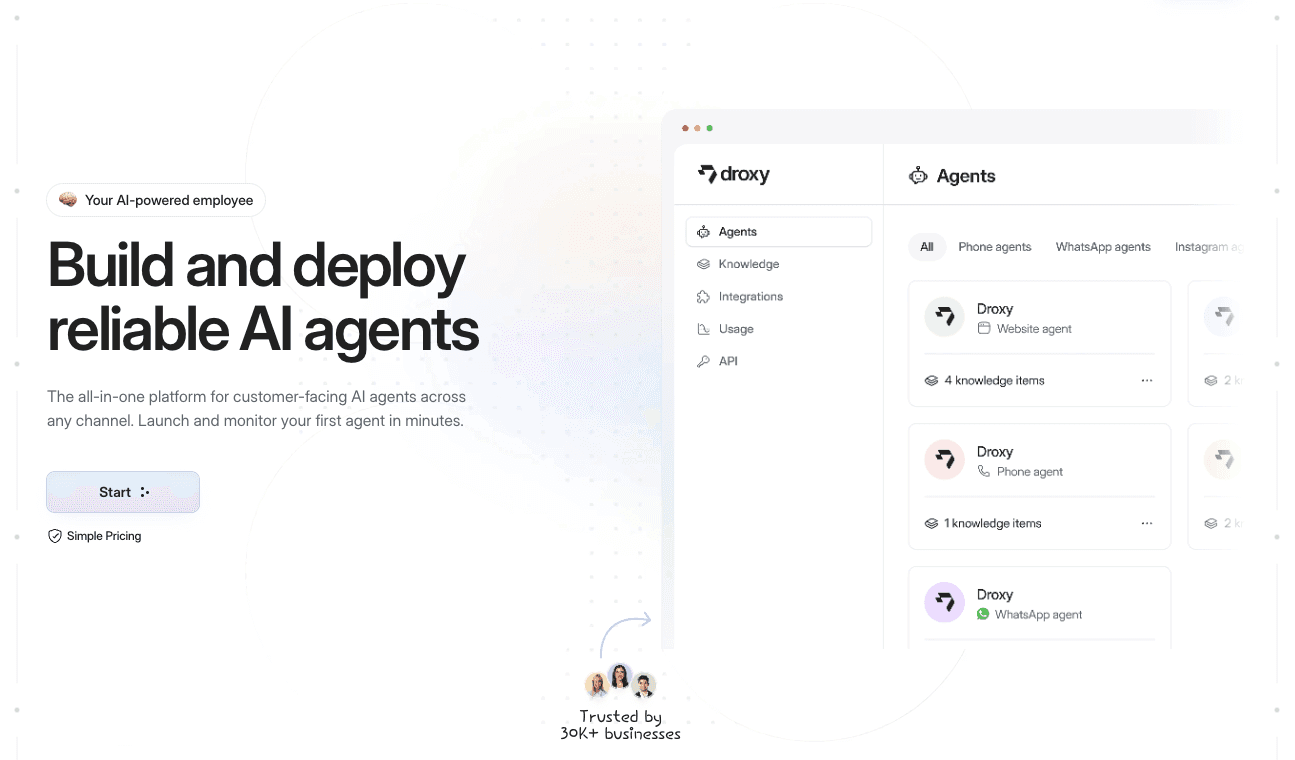
You can start with the website agent, connect your CRM and add channels as you go.
Our perspective
Most CRM chatbot projects stall because they begin with technology instead of the customer’s question. We start the other way around: what does a visitor ask at 11 p.m., and what should your team find in the CRM the next morning?
That is why we built Droxy as a no-code platform. Your agent should sound like your brand, answer from your own knowledge sources and pass clean records to the systems you already use. It should also reach customers where they already write, whether that is your website, WhatsApp, Instagram or the phone.
Our advice is to connect one workflow, measure it, and then expand. A single well-mapped lead flow beats a sprawling integration nobody trusts.
Elena
FAQ
Do I need a developer to integrate a chatbot with my CRM?
Not for the common cases. Native connectors and automation tools let you map fields and trigger workflows without code. A developer is needed mainly for live lookups through a direct API or for custom webhook receivers. A no-code platform like Droxy handles API and Zapier connections without custom programming.
What is the difference between a chatbot and an AI agent in a CRM setting?
A basic chatbot follows scripts and answers set questions. An AI agent understands free-form requests, uses your knowledge sources and can take actions such as capturing a lead or booking an appointment. Our comparison of AI agent vs chatbot explains the difference in detail.
How long does a CRM chatbot integration take?
It depends on the method. A simple lead-capture flow through a native connector or automation tool can be live in days once your CRM data is clean. Live API lookups and custom builds take longer because they need development and testing. Launching on one channel first keeps the timeline short.
Which customer data should a chatbot send to the CRM?
Start with name, email, phone, intent, a conversation summary, the source page and consent to contact. Add order or booking details only when a workflow uses them. Sending less data also supports privacy rules built on data minimization.
How do I stop duplicate contacts?
Match on email or phone before creating a record, update existing contacts instead of adding new ones, and give every event a unique ID so retries do not log twice. Review a sample of records weekly to catch problems early.
Sources
Why most AI agents fail at sales automation: CRM integration failures
California Privacy Protection Agency enforcement advisory on data minimization
Recommended
CRM chatbot integration means your chatbot reads from and writes to the system where your customer records live. It identifies who is chatting, answers with that person’s real context, and logs the outcome as a lead, a note or a booking without anyone retyping it. The fastest route for most small and midsize businesses is a no-code platform that already ships with API and Zapier connections, so you configure the data flow instead of building it. That is how Droxy works, and the rest of this guide shows what to sync, which method to choose, where integrations break and how to prove the result.
DroxyConnect Customer Conversations to Your BusinessDroxy deploys customizable AI agents across chat, phone, social channels, and Shopify to answer inquiries instantly and integrate with existing systems.Visit
TL;DR
A connected chatbot does four jobs: match the visitor to a CRM contact, read the record, answer with context and write the outcome back.
Start with a short list of fields (name, email, phone, source, intent, transcript summary, consent) and add more only when a workflow needs them.
Pick the lightest integration method that covers your use case: native connector, automation tool, webhook, direct API or a newer agent protocol.
Duplicates, bad data, rate limits and expired credentials cause most failures, and each has a standard prevention.
Measure response time, lead capture, qualified leads, bookings and hand-off quality before and after launch.
Table of Contents
What CRM chatbot integration actually does
Which problems it solves
What data should sync, and in which direction
Five ways to connect a chatbot to a CRM
How to set up the integration, step by step
Where integrations break and how to prevent it
Privacy and security basics
How to measure whether it works
Where Droxy fits
Our perspective
Sources
What CRM chatbot integration actually does
A chatbot on its own is a talking FAQ. It can answer questions, but it forgets the visitor the moment the window closes. Your CRM holds the opposite: history, deal stages, owners and notes, but no way to reply at 2 a.m. Integration joins the two.
In technical terms, an AI assistant is connected to a CRM through APIs or native connectors, which lets it read records, write updates and trigger actions from plain-language instructions. For you, that translates into a conversation that follows five steps:
Identify. The bot matches the visitor to an existing contact using email, phone number or a login.
Read. It pulls the fields that matter for the reply: plan, open tickets, last order, assigned rep.
Respond. The answer fits the customer’s real situation instead of a generic script.
Write back. Contact details, intent, transcript summary and next step land on the right CRM record.
Hand off. When a request goes beyond what the bot should handle, a person receives the full conversation history.
Skip any one of these and the integration feels half-built. A bot that identifies but never writes back creates invisible work. A bot that writes back but never hands off frustrates customers with edge-case problems.
Which problems it solves
The value shows up in specific workflows, and it differs by industry:
Ecommerce: order status lookups, return questions and product recommendations that use purchase history, with the conversation logged on the customer profile. Our guide to ecommerce chatbot use cases goes through ten of them.
Real estate: every inquiry about a listing becomes a contact with budget, timeline and property of interest already filled in, so an agent’s first call starts from facts.
Hospitality: booking questions are answered instantly and the reservation request lands in the system your staff already watch.
Home services: a homeowner describes the problem at night, and the CRM holds the address, urgency and preferred time by morning.
Healthcare practices: routine questions and appointment requests are handled around the clock, while anything clinical goes to staff.
Agencies: the same pattern repeats across many client accounts, each with its own CRM and branding.
The common thread is speed plus memory. Slow replies and missed inquiries are the problem; a bot with CRM context is the fix, because it can answer immediately and still leave a clean record for your team.
What data should sync, and in which direction
Integration is a two-way street, and most projects go wrong by deciding only one direction. This overview of how chatbots and CRMs exchange customer information shows why the flow matters for business results. In practice, split the fields into two groups.
From chatbot to CRM (write):
Name, email and phone as a new lead or an update to an existing contact
Intent and qualification answers (what they want, budget, timeline)
Transcript and a short summary of the conversation
Source page and campaign parameters such as UTM tags
Consent to be contacted
Booking or appointment details
From CRM to chatbot (read):
Account type, plan or customer tier
Order, booking or ticket status
Assigned owner, so a hand-off goes to the right person
Past interactions, so the bot does not ask the same question twice
Treat chatbot activity as an event with a clear structure. Yardbook’s published AI events guide is a useful model: each event carries a type (chat, escalation, note, workflow), a source, a summary, the raw payload and an ISO 8601 timestamp, and customers are matched by email, phone or both first and last name. Whatever CRM you use, logging events with those same five elements keeps records searchable and auditable.
A practical rule: start with eight to ten fields. Every extra field is another mapping to maintain and another piece of personal data to protect.
Five ways to connect a chatbot to a CRM
The method you choose decides cost, speed and how much upkeep you take on. Here is the trade-off in plain terms.
Method | Best for | Speed of updates | What it needs |
|---|---|---|---|
Native connector | Standard CRMs with standard fields | Fast, within supported fields | Account login and field mapping |
Automation tool (iPaaS) | Lead and transcript sync after a chat | Short delay | Workflow setup, per-task cost at volume |
Webhooks | Near real-time updates per chat event | Near real time | A receiver your team builds and hosts |
Direct API with tool calling | Live lookups and actions during a chat | Live | Developers and ongoing maintenance |
Agent protocol servers | Agents using several CRM tools | Live | Tight permission scoping, newer standard |
Native connectors are the quickest, but they only reach the fields the vendor supports. If your CRM uses custom objects, you will hit that wall.
Automation tools sit in the middle. They move the lead and the transcript into your CRM after the conversation, which suits most lead-capture and booking flows. Two things to plan for: sync delay, and per-task pricing that grows with chat volume. We cover both in our guide to connecting a chatbot to Zapier.
Webhooks push each chat event to your system as it happens. They are fast, but someone has to build and host the receiver and keep it running.
Direct API integration lets the bot look things up live, for example checking an order mid-conversation. It gives the most control and demands the most engineering time.
Agent protocol servers suit setups where one AI agent works across several tools. The standard is newer, and permissions need careful limits so the agent can only touch what it should.
If you do not have a developer on staff, the first two options cover the large majority of small business needs. If you want live lookups without writing code, a platform that wraps the API for you is the shorter path. For a wider view of that decision, see no-code vs custom chatbot.
How to set up the integration, step by step
1. Write down the three outcomes you want
Pick the results before the tools. Examples: every after-hours inquiry becomes a CRM lead within a minute; returning customers get order status without waiting for staff; qualified buyers book a call straight from the chat. Three outcomes keep the project small enough to finish.
2. Clean your CRM first
A bot can only be as accurate as the records it reads. Merge obvious duplicates, standardize phone number formats and decide which fields are required. Doing this before launch is far cheaper than fixing a thousand mismatched contacts afterward.
3. Map the fields
Decide which chatbot answer lands in which CRM field. Keep names identical where possible. Decide what happens when a contact already exists: update, append a note or create a new record. Updating is usually safest.
4. Choose the method
Use the table above. Start with the lightest method that delivers your three outcomes, and move up only when you hit a real limit.
5. Build the agent and connect your knowledge
On Droxy you create the agent without code, connect your knowledge sources, customize its tone to match your brand and link your systems through API or Zapier. The same agent can serve website chat, phone, WhatsApp, Instagram, Facebook and Shopify, so one setup covers every channel where customers write to you. If you book appointments in the chat, our calendar integration guide covers that part.
6. Set the hand-off rules
Decide which situations go to a person: billing disputes, complaints, anything urgent, or any time the visitor asks for a human. Make sure the human receives the transcript, so the customer never repeats themselves. Droxy includes human hand-off and smart routing for this purpose.
7. Test with real scenarios
Run at least these cases: a brand-new visitor, a returning customer, someone who types a misspelled email, someone who refuses to give a phone number, and a visitor who asks something outside the bot’s scope. Check each record in the CRM, not just the chat window.
8. Launch on one channel, then expand
Start with website chat, review the first two weeks of conversations, fix the gaps and then add WhatsApp, Instagram or phone. Our helpdesk integration walkthrough shows how a staged rollout fits into a few weeks.
Where integrations break and how to prevent it
Most failures are predictable. Composio’s engineering team lists common causes of CRM agent failures such as bad data and duplicates, missing write access, polling lag, rate limits, brittle connections and OAuth failures. Here is what each looks like for a business owner, and the fix.
Duplicate contacts. The same person chats twice and ends up with two records. Match on email or phone before creating anything, and use idempotency keys, a unique ID per event, so a retried message does not log twice. Yardbook’s guide above describes this approach.
Bad or missing data. The bot reads an outdated field and gives a wrong answer. Fix the source records and make the bot ask for confirmation on critical details.
Missing permissions. The bot can read but not write, so leads vanish. Test write access with a dummy contact on day one.
Sync lag. Updates arrive minutes late, and a customer is told something stale. Use event-driven updates for anything time-sensitive.
Rate limits. A busy day floods the CRM API. Queue and batch writes, and retry with increasing wait times after a temporary failure.
Expired credentials. An access token lapses and the integration silently stops. Monitor the connection and set an alert for failed writes.
The habit that saves the most time is a weekly look at a sample of conversations next to their CRM records. If they match, the integration is healthy.
Privacy and security basics
A CRM chatbot handles personal data, so build privacy in from the first mapping. In California, the state’s privacy agency calls data minimization a foundational principle of the CCPA: use of personal information should be reasonably necessary and proportionate to the purpose it was collected for. Other laws, such as the GDPR for customers in Europe, apply a similar idea.
Put that into practice:
Sync only the fields a workflow needs. This is another reason to start small.
Record consent to be contacted as its own field, with its source.
Give the integration the narrowest CRM permissions that still work.
Tell visitors in your privacy policy what the chatbot collects and why. Our guide to chatbot privacy policy clauses lists what to include.
Review the wider security picture, from access control to data handling, in our piece on AI chatbot security.
If you operate in healthcare or another regulated field, confirm requirements with your compliance adviser or attorney before connecting patient or client records.
How to measure whether it works
Set your baseline before launch, then compare after 30 and 90 days. Track:
First response time. The gap between a visitor’s message and the first useful reply. A bot should bring it to seconds.
Lead capture rate. Chats that produce a CRM contact with a valid email or phone, divided by total chats.
Qualified lead share. Of the captured leads, how many meet your own criteria.
Bookings or conversions from chat. Use the source field in the CRM to attribute them.
Hand-off rate and quality. How many chats go to a person, and whether staff say the transcript was enough to continue.
Ticket volume. For support teams, the count of repetitive tickets that no longer reach the queue.
Data quality. Duplicate rate and the share of records with missing fields.
Because the CRM stores the source and outcome of every conversation, you can build these reports there directly. Droxy adds analytics on the conversation side, so you can see what visitors ask and where the agent needs better answers. For the broader picture of gains, see the benefits of using AI chatbots.
Where Droxy fits
If you want a CRM-connected agent without a development project, Droxy gives you a no-code platform to deploy AI agents on website chat, phone, WhatsApp, Instagram, Facebook and Shopify. Lead capture, appointment booking, multilingual support, human hand-off, analytics and API or Zapier integration come with it, and agencies can white-label agents for their own clients. Plans start at $16 per month for Basic, $80 for Advanced and $240 for Enterprise.
You can start with the website agent, connect your CRM and add channels as you go.
Our perspective
Most CRM chatbot projects stall because they begin with technology instead of the customer’s question. We start the other way around: what does a visitor ask at 11 p.m., and what should your team find in the CRM the next morning?
That is why we built Droxy as a no-code platform. Your agent should sound like your brand, answer from your own knowledge sources and pass clean records to the systems you already use. It should also reach customers where they already write, whether that is your website, WhatsApp, Instagram or the phone.
Our advice is to connect one workflow, measure it, and then expand. A single well-mapped lead flow beats a sprawling integration nobody trusts.
Elena
FAQ
Do I need a developer to integrate a chatbot with my CRM?
Not for the common cases. Native connectors and automation tools let you map fields and trigger workflows without code. A developer is needed mainly for live lookups through a direct API or for custom webhook receivers. A no-code platform like Droxy handles API and Zapier connections without custom programming.
What is the difference between a chatbot and an AI agent in a CRM setting?
A basic chatbot follows scripts and answers set questions. An AI agent understands free-form requests, uses your knowledge sources and can take actions such as capturing a lead or booking an appointment. Our comparison of AI agent vs chatbot explains the difference in detail.
How long does a CRM chatbot integration take?
It depends on the method. A simple lead-capture flow through a native connector or automation tool can be live in days once your CRM data is clean. Live API lookups and custom builds take longer because they need development and testing. Launching on one channel first keeps the timeline short.
Which customer data should a chatbot send to the CRM?
Start with name, email, phone, intent, a conversation summary, the source page and consent to contact. Add order or booking details only when a workflow uses them. Sending less data also supports privacy rules built on data minimization.
How do I stop duplicate contacts?
Match on email or phone before creating a record, update existing contacts instead of adding new ones, and give every event a unique ID so retries do not log twice. Review a sample of records weekly to catch problems early.
Sources
Why most AI agents fail at sales automation: CRM integration failures
California Privacy Protection Agency enforcement advisory on data minimization
Recommended


🚀
Powered by Droxy
Turn every interaction into a conversion
Customer facing AI agents that engage, convert, and support so you can scale what matters.
✨
Learn more
Recent posts
Insights
3 min read
Introducing Agent Memories
Improve your agents' performance with Agent Memories. Prevent agents from repeating the same mistakes by giving them feedback.
Read more

Insights
15 min read
HVAC Marketing in 2025: The Definitive Lead Gen Guide
Discover 15 proven HVAC marketing strategies, plus learn how Droxy's AI website agent converts curious visitors into qualified leads by answering their questions instantly - right when they're most interested in your services.
Read more
Insights
10 min read
10 Best AI Sales Agents in 2025: Tested & Ranked
Discover the top 10 AI sales agents of 2025, designed to enhance lead generation, personalize outreach, and ultimately, close more deals
Read more
Insights
3 min read
Introducing Agent Memories
Improve your agents' performance with Agent Memories. Prevent agents from repeating the same mistakes by giving them feedback.
Read more
Insights
15 min read
HVAC Marketing in 2025: The Definitive Lead Gen Guide
Discover 15 proven HVAC marketing strategies, plus learn how Droxy's AI website agent converts curious visitors into qualified leads by answering their questions instantly - right when they're most interested in your services.
Read more