Hospitality Customer Service Automation: A Practical Guide
Hospitality Customer Service Automation: A Practical Guide
Insights
16 min

Hospitality customer service automation means letting software answer routine guest questions, capture bookings and route requests at any hour, while your team stays in charge of the moments that need judgment and warmth. Done well, guests get instant replies on the channels they already use, and your staff spend their day on service instead of repeating the same answers. This guide shows what to automate, where to keep people involved, how to connect it to your existing tools and how to tell whether it is working.
DroxyGive Guests Faster AnswersDroxy lets hospitality businesses deploy AI agents across chat, phone, WhatsApp and more, helping guests get instant answers around the clock.Explore Droxy
TL;DR
Automate the invisible, repetitive work first: FAQs, booking questions, request routing and status updates. Keep people on recovery, recognition and first impressions.
The biggest gains come from closing the loop: classify a request, route it, track it, notify the guest and escalate if nobody acts. A fast reply alone is not enough.
Decide your handoff rules before launch, and keep a clear path to a real person on every channel.
Start with one or two channels, connect your knowledge sources, then expand once your numbers show it is working.
Droxy plans start from $16 per month, so you can test the approach on a single channel before you scale.
Table of Contents
What hospitality customer service automation actually is
Where automation fits in the guest journey
Which guest questions and tasks to automate first
Making booking and guest communication faster across channels
Keeping service personal while you automate
When to hand off to a staff member
Connecting automation with your existing systems
How to measure whether it is working
A simple rollout plan
Our perspective
Put it to work with Droxy
Sources
What hospitality customer service automation actually is
At its simplest, it is software that handles routine guest communication and service tasks without a staff member typing every reply. That covers a chatbot on your website answering questions about parking, an assistant on WhatsApp confirming a booking, or a phone agent picking up when the front desk is busy.
The more useful version goes further. An operational AI agent receives guest requests across channels, classifies them, routes tickets to the right team, tracks their status, tells the guest when the issue is resolved and escalates anything that nobody acknowledges within a set window, according to Hotel Technology News. The same analysis draws a helpful line between two jobs. A booking AI turns an inquiry into a reservation. An operational agent handles what happens after the guest walks in, which many properties still coordinate by hand across several apps.
That distinction matters when you shop for tools. Ask yourself two questions:
Does it answer guests quickly and accurately?
Does it make sure the right person actually acts on what the guest asked for?
The first saves minutes. The second protects your reviews.
For a broader primer that is not specific to hotels, our guide to customer service automation covers the building blocks.
Where automation fits in the guest journey
Guest communication runs through predictable stages. Each one has tasks that suit automation and moments that do not.
Stage | Good to automate | Keep with your team |
|---|---|---|
Research and inquiry | Answers on rates policy, amenities, location, pet and parking rules, availability questions | Complex group or event quotes |
Booking | Collecting dates and party size, appointment or table booking, confirmation messages | Special negotiated rates, unusual requests |
Before arrival | Check-in details, directions, reminders, upsell offers | Accessibility planning, VIP preparation |
During the stay | Wi-Fi, breakfast hours, extra towels logged and routed to housekeeping | Complaints, safety concerns, service recovery |
After departure | Thank-you messages, review requests, lost-and-found logging | Resolving a bad experience personally |
The pattern is consistent. Automation takes the repeatable, low-risk work. People take anything emotional, urgent or unusual.
Which guest questions and tasks to automate first
Start with the questions your front desk and reservations team answer every single day. If you cannot list them from memory, skim a month of emails, DMs and call notes. You will likely find the same dozen questions making up most of the volume.
Good first candidates:
Property facts: check-in and check-out times, parking, breakfast hours, pool and spa access, pet policy.
Location and logistics: directions, airport transfers, nearby restaurants.
Booking questions: availability, room or table types, deposit rules, changes and cancellations as written in your policy.
Lead capture: collecting a name, contact details and dates from someone who messages at 1 a.m., so your team can follow up in the morning.
Appointment and reservation booking: spa slots, tours, restaurant tables.
Request routing: a guest asks for extra pillows, and the request lands with housekeeping as a tracked ticket.
The Hotel Technology News analysis suggests the greatest operational value comes from routing, tracking, notifying and escalating requests, not merely generating replies. So when you pick your first use cases, favor those with a clear owner on your team and a clear definition of done.
If booking is your priority, our roundup of AI appointment booking tools explains what to look for in scheduling features.
Making booking and guest communication faster across channels
Guests do not choose one channel. They check your website, send an Instagram message, then call from the car. Each switch is a chance to lose the booking if nobody answers quickly.
A practical setup covers the channels where your guests already talk to you:
Website chat for visitors comparing options. See how a website agent works.
WhatsApp for confirmations, pre-arrival details and in-stay questions. Our WhatsApp agent is built for this.
Instagram and Facebook for direct messages that come from social browsing. Droxy offers an Instagram agent and a Facebook agent.
Phone for guests who still prefer a call, especially when your desk is busy or closed. A phone agent picks up when your team cannot.
The key is one shared brain behind every channel. If the same knowledge base, tone and handoff rules drive all of them, a guest gets the same answer on Instagram that they would get on the phone. That consistency is what makes the service feel like your brand and not a patchwork of tools.
Multilingual replies help too. If your guests write in several languages, the agent can answer in theirs, and your staff can still back it up with a few key phrases of their own, such as hospitality phrases in Mandarin for front desk teams who welcome Mandarin-speaking guests.
Keeping service personal while you automate
The fear most owners have is that automation will make the property feel cold. The answer is not to automate less. It is to automate the right things.
CHART’s January 2026 hospitality guidance recommends automating invisible or back-of-house work while keeping humans responsible for recovery, recognition, first impressions and other visible, high-impact moments. That is a useful test for every task you consider. If the guest would never notice who did it, automate it. If the guest will remember how it felt, put a person on it.

A real example from Hospitality Net shows the balance. In a December 2025 opinion piece, the writer describes how WestCord used WhatsApp automation for repetitive questions while keeping the real phone number available for human service, and told guests they were chatting with a bot.
Three habits make automation feel personal:
Say what it is. Tell guests they are talking to an AI assistant, and tell them how to reach a person.
Match your voice. Write the agent’s greetings and answers the way your best front desk employee would speak.
Use the guest’s context. If the guest has already given their dates and room type, the agent should not ask again.
When to hand off to a staff member
A handoff rule is a promise that automation will never trap a guest. Write your rules down before you go live, and test them with your team.
Hand off immediately when:
The guest is upset, uses strong language or mentions a bad experience.
The topic involves safety, health, an accident or a security concern.
The request involves payment disputes, refunds or exceptions to policy.
The guest has an accessibility need that requires planning.
The guest asks for a person. Always honor this request without arguing.
The agent has failed to answer the same question twice.
The guest is a VIP, a repeat guest or part of a large booking.
Then make the handoff clean. The agent should pass along the conversation history, the guest’s name and contact details, and a short summary, so the staff member never has to say “Could you repeat that?” Set a response-time target for the human side as well, because a fast bot followed by a slow human is worse than no bot. Our guide on chatbot human handoff goes deeper on the mechanics.
Outside staffed hours, the agent can collect the details, tell the guest when a person will reply and log the request for the morning shift.
Connecting automation with your existing systems
An assistant that only knows your website FAQ will give good answers about parking and poor answers about availability. The value grows when it connects to the places your information already lives.
A sensible integration plan has three layers:
Knowledge sources. Feed it your website pages, policy documents, menus, rate rules and house guides. Keep one source of truth so you update a policy in one place.
Business systems. Connect your booking engine, calendar, CRM or ticketing tool through an API or an automation connector such as Zapier, so leads and requests land where your team already works.
Team workflow. Decide who receives each type of ticket, how they are notified and what happens if nobody responds within the window you set.
Before you wire anything, map the workflow on paper: what triggers it, what data moves, who owns the next step and what happens when something fails. This step-by-step primer on AI workflow automation steps is a handy checklist for that planning.
Keep a record of what the agent can see and do. If it can create a booking, it should confirm back to the guest exactly what was booked. If it cannot access live availability, it should say so and offer to take the inquiry instead of guessing.
How to measure whether it is working
Set your baseline before launch. A week of manual data is enough: how many inquiries arrive, how long a first reply takes, how many go unanswered after hours and how many convert to bookings.
Then track a short list of numbers every week:
Metric | What it tells you |
|---|---|
First response time | Whether guests get answers while they are still interested |
Share of conversations resolved without staff | How much routine work the agent removes |
Handoff rate and reasons | Which topics need better answers or better rules |
After-hours inquiries captured | Leads you would have lost before |
Inquiry-to-booking rate | Whether faster answers lead to revenue |
Guest satisfaction and review comments | Whether the service still feels good |
Time to resolve routed requests | Whether your team closes the loop |
Read the conversations too, not just the dashboard. Twenty minutes with a sample of transcripts each week shows you the questions the agent missed and the phrases guests actually use. Add those to your knowledge base, and the next week gets better.
If your numbers rise but reviews mention “I could not reach a person,” tighten your handoff rules. If handoffs are mostly the same three topics, teach the agent those answers.
A simple rollout plan
You do not need to automate everything at once. A staged rollout reduces risk and builds trust with your team.
Week 1: Audit. List your top 15 guest questions and the channels where they arrive.
Week 2: Build. Load your policies and FAQs, set your brand voice and write your handoff rules.
Week 3: Pilot. Launch on one channel, usually website chat or WhatsApp. Have staff review conversations daily.
Week 4 and after: Expand. Add channels, connect booking and CRM tools, and extend to after-hours phone coverage.
Involve your front desk team from the start. They know which questions are repetitive and which are delicate, and they are the people who will receive the handoffs. Frame the project as taking the repetitive work off their plate, because that is what it does.
Our perspective
We built Droxy on a simple belief: guests do not care whether the first answer comes from a person or an assistant. They care that it is fast, correct and that a person is there when it matters.
That is why we focus on deep customization. An agent that sounds like your property, draws on your own knowledge sources and follows your handoff rules feels like part of your team. One that sounds generic feels like a barrier.
We also believe hospitality teams should not need developers. A no-code platform lets the people who know your guests best shape how the agent behaves, update it when a policy changes and review the conversations. Combined with human handoff, appointment booking, lead capture, multilingual support and analytics, you can cover the whole path from first message to confirmed booking.
Our advice: start with the questions you answer every day, pick one channel, set clear handoff rules and measure. The results will tell you where to go next.
Elena
Put it to work with Droxy
Droxy is a no-code platform for deploying AI agents across website chat, phone, WhatsApp, Instagram, Facebook and Shopify. For hospitality teams, that means instant answers around the clock, automated lead capture, appointment booking and a smooth handoff to your staff, all matched to your brand’s voice.
Plans start at $16 per month for Basic, $80 per month for Advanced and $240 per month for Enterprise. You can compare them on the Droxy pricing page, or create your first agent and see how it handles your own guest questions. Agencies and consultants can also white-label agents for their own hospitality clients.
For more ideas, read our examples of AI in customer service.
FAQ
What is hospitality customer service automation?
It is the use of software, usually AI agents, to handle routine guest communication and service tasks such as FAQs, booking questions, lead capture and request routing. It works across channels like website chat, WhatsApp, social messages and phone. Your staff step in for anything that needs judgment or a personal touch.
Will automation make my service feel impersonal?
Not if you automate the right work. Keep people responsible for complaints, recovery and first impressions, and let the agent handle repetitive questions. Tell guests they are chatting with an AI assistant, match your brand voice and always offer a clear way to reach a person.
Which channel should I start with?
Choose the one where you receive the most repetitive messages. For many properties that is website chat or WhatsApp. Launch there, review the conversations daily for the first couple of weeks, then add Instagram, Facebook or phone once your handoff rules work well.
Does it work for restaurants, tour operators and small guesthouses, or only hotels?
Yes. Any hospitality business that fields repeated questions about hours, menus, bookings and policies can benefit. A small guesthouse might use one agent on its website and WhatsApp, while a larger group connects several channels and systems.
How do I know when to hand a conversation to a person?
Define triggers in advance: upset guests, safety or health topics, payment disputes, accessibility needs, VIP bookings, repeated failed answers and any request for a human. Pass the full conversation to your team so the guest never repeats themselves.
Sources
How AI Agents Are Closing the Operational Loop in Hotel Guest Services, Hotel Technology News
Cyborg Hospitality: The Balance of Heart and Hardware in Training, CHART
How hotel automation can help us be more human, Hospitality Net
Recommended
Hospitality customer service automation means letting software answer routine guest questions, capture bookings and route requests at any hour, while your team stays in charge of the moments that need judgment and warmth. Done well, guests get instant replies on the channels they already use, and your staff spend their day on service instead of repeating the same answers. This guide shows what to automate, where to keep people involved, how to connect it to your existing tools and how to tell whether it is working.
DroxyGive Guests Faster AnswersDroxy lets hospitality businesses deploy AI agents across chat, phone, WhatsApp and more, helping guests get instant answers around the clock.Explore Droxy
TL;DR
Automate the invisible, repetitive work first: FAQs, booking questions, request routing and status updates. Keep people on recovery, recognition and first impressions.
The biggest gains come from closing the loop: classify a request, route it, track it, notify the guest and escalate if nobody acts. A fast reply alone is not enough.
Decide your handoff rules before launch, and keep a clear path to a real person on every channel.
Start with one or two channels, connect your knowledge sources, then expand once your numbers show it is working.
Droxy plans start from $16 per month, so you can test the approach on a single channel before you scale.
Table of Contents
What hospitality customer service automation actually is
Where automation fits in the guest journey
Which guest questions and tasks to automate first
Making booking and guest communication faster across channels
Keeping service personal while you automate
When to hand off to a staff member
Connecting automation with your existing systems
How to measure whether it is working
A simple rollout plan
Our perspective
Put it to work with Droxy
Sources
What hospitality customer service automation actually is
At its simplest, it is software that handles routine guest communication and service tasks without a staff member typing every reply. That covers a chatbot on your website answering questions about parking, an assistant on WhatsApp confirming a booking, or a phone agent picking up when the front desk is busy.
The more useful version goes further. An operational AI agent receives guest requests across channels, classifies them, routes tickets to the right team, tracks their status, tells the guest when the issue is resolved and escalates anything that nobody acknowledges within a set window, according to Hotel Technology News. The same analysis draws a helpful line between two jobs. A booking AI turns an inquiry into a reservation. An operational agent handles what happens after the guest walks in, which many properties still coordinate by hand across several apps.
That distinction matters when you shop for tools. Ask yourself two questions:
Does it answer guests quickly and accurately?
Does it make sure the right person actually acts on what the guest asked for?
The first saves minutes. The second protects your reviews.
For a broader primer that is not specific to hotels, our guide to customer service automation covers the building blocks.
Where automation fits in the guest journey
Guest communication runs through predictable stages. Each one has tasks that suit automation and moments that do not.
Stage | Good to automate | Keep with your team |
|---|---|---|
Research and inquiry | Answers on rates policy, amenities, location, pet and parking rules, availability questions | Complex group or event quotes |
Booking | Collecting dates and party size, appointment or table booking, confirmation messages | Special negotiated rates, unusual requests |
Before arrival | Check-in details, directions, reminders, upsell offers | Accessibility planning, VIP preparation |
During the stay | Wi-Fi, breakfast hours, extra towels logged and routed to housekeeping | Complaints, safety concerns, service recovery |
After departure | Thank-you messages, review requests, lost-and-found logging | Resolving a bad experience personally |
The pattern is consistent. Automation takes the repeatable, low-risk work. People take anything emotional, urgent or unusual.
Which guest questions and tasks to automate first
Start with the questions your front desk and reservations team answer every single day. If you cannot list them from memory, skim a month of emails, DMs and call notes. You will likely find the same dozen questions making up most of the volume.
Good first candidates:
Property facts: check-in and check-out times, parking, breakfast hours, pool and spa access, pet policy.
Location and logistics: directions, airport transfers, nearby restaurants.
Booking questions: availability, room or table types, deposit rules, changes and cancellations as written in your policy.
Lead capture: collecting a name, contact details and dates from someone who messages at 1 a.m., so your team can follow up in the morning.
Appointment and reservation booking: spa slots, tours, restaurant tables.
Request routing: a guest asks for extra pillows, and the request lands with housekeeping as a tracked ticket.
The Hotel Technology News analysis suggests the greatest operational value comes from routing, tracking, notifying and escalating requests, not merely generating replies. So when you pick your first use cases, favor those with a clear owner on your team and a clear definition of done.
If booking is your priority, our roundup of AI appointment booking tools explains what to look for in scheduling features.
Making booking and guest communication faster across channels
Guests do not choose one channel. They check your website, send an Instagram message, then call from the car. Each switch is a chance to lose the booking if nobody answers quickly.
A practical setup covers the channels where your guests already talk to you:
Website chat for visitors comparing options. See how a website agent works.
WhatsApp for confirmations, pre-arrival details and in-stay questions. Our WhatsApp agent is built for this.
Instagram and Facebook for direct messages that come from social browsing. Droxy offers an Instagram agent and a Facebook agent.
Phone for guests who still prefer a call, especially when your desk is busy or closed. A phone agent picks up when your team cannot.
The key is one shared brain behind every channel. If the same knowledge base, tone and handoff rules drive all of them, a guest gets the same answer on Instagram that they would get on the phone. That consistency is what makes the service feel like your brand and not a patchwork of tools.
Multilingual replies help too. If your guests write in several languages, the agent can answer in theirs, and your staff can still back it up with a few key phrases of their own, such as hospitality phrases in Mandarin for front desk teams who welcome Mandarin-speaking guests.
Keeping service personal while you automate
The fear most owners have is that automation will make the property feel cold. The answer is not to automate less. It is to automate the right things.
CHART’s January 2026 hospitality guidance recommends automating invisible or back-of-house work while keeping humans responsible for recovery, recognition, first impressions and other visible, high-impact moments. That is a useful test for every task you consider. If the guest would never notice who did it, automate it. If the guest will remember how it felt, put a person on it.
A real example from Hospitality Net shows the balance. In a December 2025 opinion piece, the writer describes how WestCord used WhatsApp automation for repetitive questions while keeping the real phone number available for human service, and told guests they were chatting with a bot.
Three habits make automation feel personal:
Say what it is. Tell guests they are talking to an AI assistant, and tell them how to reach a person.
Match your voice. Write the agent’s greetings and answers the way your best front desk employee would speak.
Use the guest’s context. If the guest has already given their dates and room type, the agent should not ask again.
When to hand off to a staff member
A handoff rule is a promise that automation will never trap a guest. Write your rules down before you go live, and test them with your team.
Hand off immediately when:
The guest is upset, uses strong language or mentions a bad experience.
The topic involves safety, health, an accident or a security concern.
The request involves payment disputes, refunds or exceptions to policy.
The guest has an accessibility need that requires planning.
The guest asks for a person. Always honor this request without arguing.
The agent has failed to answer the same question twice.
The guest is a VIP, a repeat guest or part of a large booking.
Then make the handoff clean. The agent should pass along the conversation history, the guest’s name and contact details, and a short summary, so the staff member never has to say “Could you repeat that?” Set a response-time target for the human side as well, because a fast bot followed by a slow human is worse than no bot. Our guide on chatbot human handoff goes deeper on the mechanics.
Outside staffed hours, the agent can collect the details, tell the guest when a person will reply and log the request for the morning shift.
Connecting automation with your existing systems
An assistant that only knows your website FAQ will give good answers about parking and poor answers about availability. The value grows when it connects to the places your information already lives.
A sensible integration plan has three layers:
Knowledge sources. Feed it your website pages, policy documents, menus, rate rules and house guides. Keep one source of truth so you update a policy in one place.
Business systems. Connect your booking engine, calendar, CRM or ticketing tool through an API or an automation connector such as Zapier, so leads and requests land where your team already works.
Team workflow. Decide who receives each type of ticket, how they are notified and what happens if nobody responds within the window you set.
Before you wire anything, map the workflow on paper: what triggers it, what data moves, who owns the next step and what happens when something fails. This step-by-step primer on AI workflow automation steps is a handy checklist for that planning.
Keep a record of what the agent can see and do. If it can create a booking, it should confirm back to the guest exactly what was booked. If it cannot access live availability, it should say so and offer to take the inquiry instead of guessing.
How to measure whether it is working
Set your baseline before launch. A week of manual data is enough: how many inquiries arrive, how long a first reply takes, how many go unanswered after hours and how many convert to bookings.
Then track a short list of numbers every week:
Metric | What it tells you |
|---|---|
First response time | Whether guests get answers while they are still interested |
Share of conversations resolved without staff | How much routine work the agent removes |
Handoff rate and reasons | Which topics need better answers or better rules |
After-hours inquiries captured | Leads you would have lost before |
Inquiry-to-booking rate | Whether faster answers lead to revenue |
Guest satisfaction and review comments | Whether the service still feels good |
Time to resolve routed requests | Whether your team closes the loop |
Read the conversations too, not just the dashboard. Twenty minutes with a sample of transcripts each week shows you the questions the agent missed and the phrases guests actually use. Add those to your knowledge base, and the next week gets better.
If your numbers rise but reviews mention “I could not reach a person,” tighten your handoff rules. If handoffs are mostly the same three topics, teach the agent those answers.
A simple rollout plan
You do not need to automate everything at once. A staged rollout reduces risk and builds trust with your team.
Week 1: Audit. List your top 15 guest questions and the channels where they arrive.
Week 2: Build. Load your policies and FAQs, set your brand voice and write your handoff rules.
Week 3: Pilot. Launch on one channel, usually website chat or WhatsApp. Have staff review conversations daily.
Week 4 and after: Expand. Add channels, connect booking and CRM tools, and extend to after-hours phone coverage.
Involve your front desk team from the start. They know which questions are repetitive and which are delicate, and they are the people who will receive the handoffs. Frame the project as taking the repetitive work off their plate, because that is what it does.
Our perspective
We built Droxy on a simple belief: guests do not care whether the first answer comes from a person or an assistant. They care that it is fast, correct and that a person is there when it matters.
That is why we focus on deep customization. An agent that sounds like your property, draws on your own knowledge sources and follows your handoff rules feels like part of your team. One that sounds generic feels like a barrier.
We also believe hospitality teams should not need developers. A no-code platform lets the people who know your guests best shape how the agent behaves, update it when a policy changes and review the conversations. Combined with human handoff, appointment booking, lead capture, multilingual support and analytics, you can cover the whole path from first message to confirmed booking.
Our advice: start with the questions you answer every day, pick one channel, set clear handoff rules and measure. The results will tell you where to go next.
Elena
Put it to work with Droxy
Droxy is a no-code platform for deploying AI agents across website chat, phone, WhatsApp, Instagram, Facebook and Shopify. For hospitality teams, that means instant answers around the clock, automated lead capture, appointment booking and a smooth handoff to your staff, all matched to your brand’s voice.
Plans start at $16 per month for Basic, $80 per month for Advanced and $240 per month for Enterprise. You can compare them on the Droxy pricing page, or create your first agent and see how it handles your own guest questions. Agencies and consultants can also white-label agents for their own hospitality clients.
For more ideas, read our examples of AI in customer service.
FAQ
What is hospitality customer service automation?
It is the use of software, usually AI agents, to handle routine guest communication and service tasks such as FAQs, booking questions, lead capture and request routing. It works across channels like website chat, WhatsApp, social messages and phone. Your staff step in for anything that needs judgment or a personal touch.
Will automation make my service feel impersonal?
Not if you automate the right work. Keep people responsible for complaints, recovery and first impressions, and let the agent handle repetitive questions. Tell guests they are chatting with an AI assistant, match your brand voice and always offer a clear way to reach a person.
Which channel should I start with?
Choose the one where you receive the most repetitive messages. For many properties that is website chat or WhatsApp. Launch there, review the conversations daily for the first couple of weeks, then add Instagram, Facebook or phone once your handoff rules work well.
Does it work for restaurants, tour operators and small guesthouses, or only hotels?
Yes. Any hospitality business that fields repeated questions about hours, menus, bookings and policies can benefit. A small guesthouse might use one agent on its website and WhatsApp, while a larger group connects several channels and systems.
How do I know when to hand a conversation to a person?
Define triggers in advance: upset guests, safety or health topics, payment disputes, accessibility needs, VIP bookings, repeated failed answers and any request for a human. Pass the full conversation to your team so the guest never repeats themselves.
Sources
How AI Agents Are Closing the Operational Loop in Hotel Guest Services, Hotel Technology News
Cyborg Hospitality: The Balance of Heart and Hardware in Training, CHART
How hotel automation can help us be more human, Hospitality Net
Recommended


🚀
Powered by Droxy
Turn every interaction into a conversion
Customer facing AI agents that engage, convert, and support so you can scale what matters.
✨
Learn more
Recent posts
Insights
3 min read
Introducing Agent Memories
Improve your agents' performance with Agent Memories. Prevent agents from repeating the same mistakes by giving them feedback.
Read more

Insights
15 min read
HVAC Marketing in 2025: The Definitive Lead Gen Guide
Discover 15 proven HVAC marketing strategies, plus learn how Droxy's AI website agent converts curious visitors into qualified leads by answering their questions instantly - right when they're most interested in your services.
Read more
Insights
10 min read
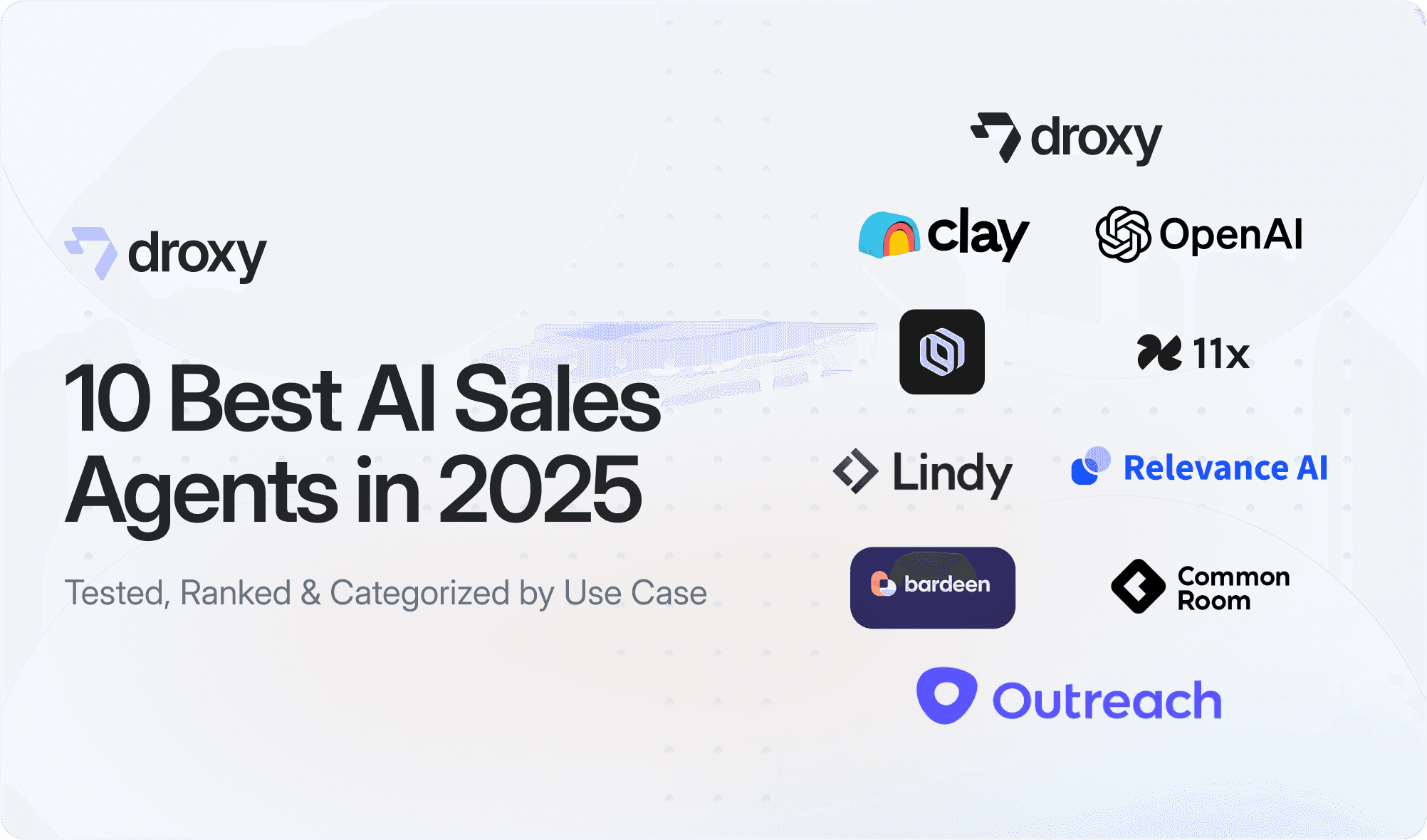
10 Best AI Sales Agents in 2025: Tested & Ranked
Discover the top 10 AI sales agents of 2025, designed to enhance lead generation, personalize outreach, and ultimately, close more deals
Read more
Insights
3 min read
Introducing Agent Memories
Improve your agents' performance with Agent Memories. Prevent agents from repeating the same mistakes by giving them feedback.
Read more
Insights
15 min read
HVAC Marketing in 2025: The Definitive Lead Gen Guide
Discover 15 proven HVAC marketing strategies, plus learn how Droxy's AI website agent converts curious visitors into qualified leads by answering their questions instantly - right when they're most interested in your services.
Read more