No-Code vs Custom Chatbot: How to Choose in 2026
No-Code vs Custom Chatbot: How to Choose in 2026
Insights
13 min

For most small and mid-sized businesses, a no-code chatbot is the right starting point. It handles common questions, lead capture, booking and routing, and it can go live in days instead of months. A custom chatbot makes sense when the bot is the product itself, when your data rules are strict, or when it must work deeply inside internal systems. This guide shows how the two approaches differ and how to decide without overspending.
Droxydroxy.aiStart With a No-Code AI AgentDroxy lets businesses deploy customizable AI agents across chat, phone, messaging, and Shopify to answer customer inquiries instantly.Explore Droxy
TL;DR
No-code means you design and launch the bot in a visual interface on a monthly subscription. It suits website questions, booking, lead capture and simple routing.
Custom means developers build the bot around AI models and your own systems. It suits complex products, strict data requirements and bots that are core to what you sell.
Time and cost differ sharply. One independent developer puts no-code at days and a monthly fee, and custom at weeks or months and a large upfront build.
You can combine them. Start with no-code, then connect custom pieces through an API or Zapier when a real need appears.
Check security either way: where data is stored, who can see transcripts, and how you disclose that customers are talking to AI.
Table of Contents
What each approach actually means
Setup time, skills and upkeep
Customization, integrations and scalability
What each one costs
Which use cases fit which approach
Mixing both: the hybrid path
Security, privacy and data handling
Our perspective
Put a no-code agent to work
A simple way to decide
Sources
What each approach actually means
A no-code chatbot is built on a platform. You write or import your knowledge, set the tone, pick channels such as website chat, WhatsApp or phone, and publish. The platform runs the hosting, the AI models, the updates and the analytics. You pay a subscription.
A custom chatbot is software written for you. A developer or agency picks the AI model, builds the conversation logic, connects databases and hosts the result. You own more of the stack, and you also carry more of the work.
The line between them is blurrier than it used to be. Modern no-code platforms connect to your tools through integrations, and custom projects often reuse ready-made components. So the useful question is not “which is better?” but “how much of this do I truly need to build myself?”

Setup time, skills and upkeep
The biggest practical gap is speed. According to one developer’s comparison of bot builders and custom development, no-code bots launch in roughly 1 to 5 days, while custom builds take 3 to 12 weeks. Treat these as ballpark figures, not guarantees. Your scope decides the real number.
Here is how the day-to-day compares:
Factor | No-code platform | Custom build |
|---|---|---|
Who builds it | You or a team member, no developer | Developers or an agency |
Time to first live version | Days | Weeks to months |
Upfront cost | Low, usually none beyond setup time | High, a project budget |
Ongoing cost | Subscription | Hosting, AI usage, developer time |
Updates | Platform handles model and channel changes | You or your developer handle them |
Changing answers | Edit in a dashboard | Often a ticket to a developer |
Flexibility | Broad, within the platform’s features | Almost unlimited |
Maintenance is where custom projects surprise people. Messaging platforms change their APIs, and AI providers keep updating their models. The same author warns that custom bots are not “set and forget”, and that a common mistake is spending heavily on a custom build before checking whether customers even want to chat in that channel. That is a fair caution for any business: prove demand first, then invest.
Customization, integrations and scalability
Customization. Custom wins on raw freedom: any interface, any logic, any model. But “deep customization” is no longer exclusive to custom code. A good no-code platform lets you shape the voice, the greeting, the escalation rules, the languages and the way the bot recommends products, so conversations feel like your brand and not a generic script.
Integrations. Ask what the bot needs to reach. Reading your help articles, product catalog and FAQs is routine for no-code. Looking up a live order, pulling a customer’s record from an internal system or writing to a proprietary database is where custom work earns its keep. Many no-code tools bridge part of this gap through APIs and Zapier, which is often enough.
Scalability. Both scale. With a platform, you move up a plan as conversation volume grows. With custom, you scale infrastructure and pay for the engineering that goes with it. For most businesses, volume is not the limit. Complexity is.
What each one costs
Price ranges vary widely by source and scope, so use them to size your thinking, not to budget to the dollar.
No-code: the developer comparison above lists upfront costs of $0 to $150 per month for builders, plus running costs that depend on usage.
Custom: the same source puts a build at $5,000 to $30,000 or more, followed by cloud hosting, AI usage fees and maintenance.
Our own plans sit in the no-code range. Droxy pricing starts at $16 per month for Basic, $80 per month for Advanced and $240 per month for Enterprise, billed monthly or annually.
To compare fairly, count the full first-year cost of each route:
Build or setup cost.
Monthly subscription or hosting.
AI usage fees.
Time spent by your team keeping answers current.
Developer time for every change.
The fifth item is the one custom budgets forget. If every small edit needs a developer, edits get delayed and the bot goes stale.
Which use cases fit which approach
When no-code is the better fit
Choose no-code when your bot needs to:
Answer common questions about hours, shipping, pricing, policies and services.
Capture leads and pass them to your team or CRM.
Book appointments or reservations.
Route conversations to the right person, with a human hand-off when a customer asks for one.
Work across several channels with one knowledge base.
This covers most ecommerce stores, restaurants and hotels, home service companies, real estate agents, clinics and agencies. If your customers keep asking the same twenty questions, you do not need to build a bot from scratch.
When custom development is worth it
Choose custom when:
The chatbot is the core of your product, not a support layer on top of it.
Your product is complex and conversations depend on calculations, configuration or multi-step logic that a platform cannot express.
You must look up orders or internal data in real time through systems no standard integration reaches.
Your industry or contracts require data to stay in an environment you fully control.
If you are unsure which side you are on, our guides on how to build a chatbot without code and AI agents versus chatbots help you define what your bot actually needs to do. For a wider view of matching a bot to business goals, this overview of the role of chatbots in business covers use cases and technical requirements.
Mixing both: the hybrid path
You do not have to pick one forever. A common pattern is to launch on a no-code platform, keep conversation design and knowledge in the dashboard, and add custom pieces only where the platform stops. Typical custom additions are an order-status lookup or a connection to your help desk.
This order protects your budget. You learn what customers really ask, which channels they use and where the bot falls short. Then you spend development money on the narrow gap that is proven, not the whole project on a guess.

Security, privacy and data handling
This is the area where you should slow down, whichever route you take. Before you commit, get clear answers to these questions:
What data does the bot collect? Names, emails, phone numbers and chat history are personal data in most privacy regimes.
Where is it stored, and for how long? Set a retention period and delete what you do not need.
Who can see transcripts? Limit access by role.
Which laws apply to you? Businesses serving California residents, for example, should review CCPA obligations, and those serving people in the EU should review GDPR. A practical checklist for GDPR and CCPA compliance in AI chatbots covers lawful basis, consent and retention.
How do you tell customers they are talking to AI? Say so plainly in the chat.
What about health or financial data? Regulated information needs advice from your own legal or compliance professional before any bot handles it.
With a platform, much of the infrastructure security is the vendor’s job, but your configuration, access rules and disclosure are still yours. With custom, all of it is yours. Neither route removes the need to decide what the bot should never discuss and when it must hand the customer to a person.
Our perspective
Most businesses we talk to are not asking for a research project. They want customers to get a fast, accurate answer at 2 a.m., and they want leads and bookings to stop slipping away.
That is why we built Droxy as a no-code platform with deep customization. You shape the voice so interactions stay human-like and on brand. You connect your knowledge from several sources. You deploy across website chat, phone, WhatsApp, Instagram, Facebook and Shopify. You hand off to your team when a person is the better answer, and you track what is happening through analytics.
When your systems need more, integrations through API and Zapier let you extend the bot without starting over. Agencies can create unlimited white-labeled agents under their own brand and control client access from one place.
Our view is simple: start with the approach that gets you live and learning quickly, then grow it. For the great majority of customer-facing use cases, that approach is no-code.
Elena
Put a no-code agent to work
If your goal is faster replies, fewer missed inquiries and more converted leads, a no-code agent is the quickest route. Droxy lets you deploy AI agents without writing code, with plans from $16 per month on the pricing page.
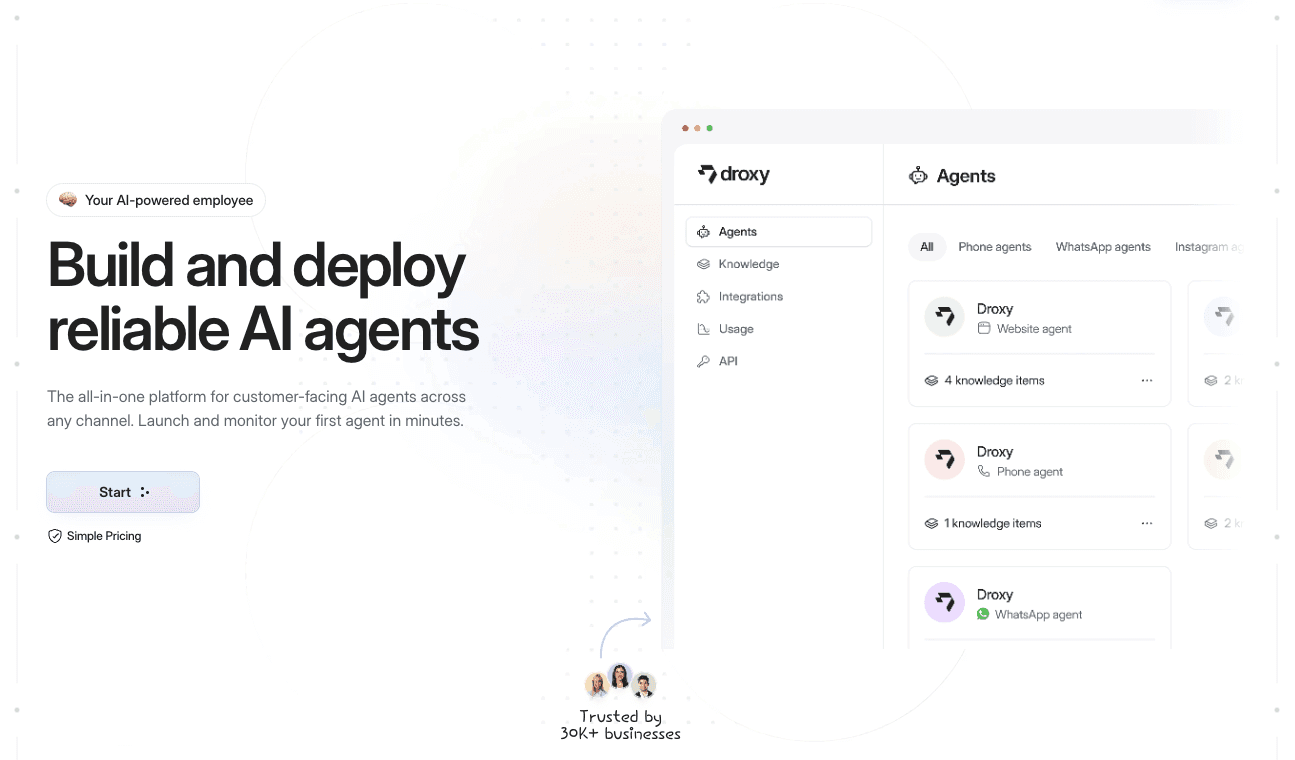
Pick the channel your customers already use: the website agent, the phone agent or the WhatsApp agent. You can also start on the Droxy app and see how your own content works in a live agent.
A simple way to decide
Work through these five questions in order:
Is the chatbot your product? If yes, lean custom. If it supports your customers, lean no-code.
Can a standard integration reach the data you need? If yes, no-code. If it lives in a system nothing connects to, plan custom work for that piece.
Do you need to launch this month? No-code.
Who will update answers? If it should be your marketing or support team, choose a dashboard they can edit.
Do strict data rules limit hosting choices? If so, involve your legal or compliance contact before choosing a route.
If you answered “supports customers”, “yes”, “yes”, “our team” and “no”, you have your answer. When you want to compare tools by type before deciding, our roundups of chatbot development platforms and AI chatbot software are a good next step, and the guide to choosing a chatbot for customer service helps match features to your support goals.
FAQ
Is a no-code chatbot less capable than a custom one?
For customer support, lead capture, booking and routing, a no-code chatbot is fully capable. Custom builds add freedom for unusual logic and deep system access. Many businesses never need that extra reach.
How long does it take to launch each type?
As a rough guide, no-code bots go live in days, and custom builds take weeks to months, according to one developer’s comparison. Your timeline depends on how much content and how many integrations you bring.
Can I start with no-code and move to custom later?
Yes. Many teams launch with a platform, learn from real conversations, then add custom connections such as order lookups. Your knowledge base and conversation design carry over as a clear brief for any future development.
Does a no-code chatbot still sound like my brand?
It can. With Droxy you customize the tone, greeting, languages and escalation rules, so the agent matches your brand voice and hands off to a person when needed.
What should I check before putting customer data into a chatbot?
Confirm what data is collected, where it is stored, how long it is kept and who can view transcripts. Review the privacy laws that apply to your customers, and tell people they are chatting with AI.
Sources
Recommended
For most small and mid-sized businesses, a no-code chatbot is the right starting point. It handles common questions, lead capture, booking and routing, and it can go live in days instead of months. A custom chatbot makes sense when the bot is the product itself, when your data rules are strict, or when it must work deeply inside internal systems. This guide shows how the two approaches differ and how to decide without overspending.
Droxydroxy.aiStart With a No-Code AI AgentDroxy lets businesses deploy customizable AI agents across chat, phone, messaging, and Shopify to answer customer inquiries instantly.Explore Droxy
TL;DR
No-code means you design and launch the bot in a visual interface on a monthly subscription. It suits website questions, booking, lead capture and simple routing.
Custom means developers build the bot around AI models and your own systems. It suits complex products, strict data requirements and bots that are core to what you sell.
Time and cost differ sharply. One independent developer puts no-code at days and a monthly fee, and custom at weeks or months and a large upfront build.
You can combine them. Start with no-code, then connect custom pieces through an API or Zapier when a real need appears.
Check security either way: where data is stored, who can see transcripts, and how you disclose that customers are talking to AI.
Table of Contents
What each approach actually means
Setup time, skills and upkeep
Customization, integrations and scalability
What each one costs
Which use cases fit which approach
Mixing both: the hybrid path
Security, privacy and data handling
Our perspective
Put a no-code agent to work
A simple way to decide
Sources
What each approach actually means
A no-code chatbot is built on a platform. You write or import your knowledge, set the tone, pick channels such as website chat, WhatsApp or phone, and publish. The platform runs the hosting, the AI models, the updates and the analytics. You pay a subscription.
A custom chatbot is software written for you. A developer or agency picks the AI model, builds the conversation logic, connects databases and hosts the result. You own more of the stack, and you also carry more of the work.
The line between them is blurrier than it used to be. Modern no-code platforms connect to your tools through integrations, and custom projects often reuse ready-made components. So the useful question is not “which is better?” but “how much of this do I truly need to build myself?”
Setup time, skills and upkeep
The biggest practical gap is speed. According to one developer’s comparison of bot builders and custom development, no-code bots launch in roughly 1 to 5 days, while custom builds take 3 to 12 weeks. Treat these as ballpark figures, not guarantees. Your scope decides the real number.
Here is how the day-to-day compares:
Factor | No-code platform | Custom build |
|---|---|---|
Who builds it | You or a team member, no developer | Developers or an agency |
Time to first live version | Days | Weeks to months |
Upfront cost | Low, usually none beyond setup time | High, a project budget |
Ongoing cost | Subscription | Hosting, AI usage, developer time |
Updates | Platform handles model and channel changes | You or your developer handle them |
Changing answers | Edit in a dashboard | Often a ticket to a developer |
Flexibility | Broad, within the platform’s features | Almost unlimited |
Maintenance is where custom projects surprise people. Messaging platforms change their APIs, and AI providers keep updating their models. The same author warns that custom bots are not “set and forget”, and that a common mistake is spending heavily on a custom build before checking whether customers even want to chat in that channel. That is a fair caution for any business: prove demand first, then invest.
Customization, integrations and scalability
Customization. Custom wins on raw freedom: any interface, any logic, any model. But “deep customization” is no longer exclusive to custom code. A good no-code platform lets you shape the voice, the greeting, the escalation rules, the languages and the way the bot recommends products, so conversations feel like your brand and not a generic script.
Integrations. Ask what the bot needs to reach. Reading your help articles, product catalog and FAQs is routine for no-code. Looking up a live order, pulling a customer’s record from an internal system or writing to a proprietary database is where custom work earns its keep. Many no-code tools bridge part of this gap through APIs and Zapier, which is often enough.
Scalability. Both scale. With a platform, you move up a plan as conversation volume grows. With custom, you scale infrastructure and pay for the engineering that goes with it. For most businesses, volume is not the limit. Complexity is.
What each one costs
Price ranges vary widely by source and scope, so use them to size your thinking, not to budget to the dollar.
No-code: the developer comparison above lists upfront costs of $0 to $150 per month for builders, plus running costs that depend on usage.
Custom: the same source puts a build at $5,000 to $30,000 or more, followed by cloud hosting, AI usage fees and maintenance.
Our own plans sit in the no-code range. Droxy pricing starts at $16 per month for Basic, $80 per month for Advanced and $240 per month for Enterprise, billed monthly or annually.
To compare fairly, count the full first-year cost of each route:
Build or setup cost.
Monthly subscription or hosting.
AI usage fees.
Time spent by your team keeping answers current.
Developer time for every change.
The fifth item is the one custom budgets forget. If every small edit needs a developer, edits get delayed and the bot goes stale.
Which use cases fit which approach
When no-code is the better fit
Choose no-code when your bot needs to:
Answer common questions about hours, shipping, pricing, policies and services.
Capture leads and pass them to your team or CRM.
Book appointments or reservations.
Route conversations to the right person, with a human hand-off when a customer asks for one.
Work across several channels with one knowledge base.
This covers most ecommerce stores, restaurants and hotels, home service companies, real estate agents, clinics and agencies. If your customers keep asking the same twenty questions, you do not need to build a bot from scratch.
When custom development is worth it
Choose custom when:
The chatbot is the core of your product, not a support layer on top of it.
Your product is complex and conversations depend on calculations, configuration or multi-step logic that a platform cannot express.
You must look up orders or internal data in real time through systems no standard integration reaches.
Your industry or contracts require data to stay in an environment you fully control.
If you are unsure which side you are on, our guides on how to build a chatbot without code and AI agents versus chatbots help you define what your bot actually needs to do. For a wider view of matching a bot to business goals, this overview of the role of chatbots in business covers use cases and technical requirements.
Mixing both: the hybrid path
You do not have to pick one forever. A common pattern is to launch on a no-code platform, keep conversation design and knowledge in the dashboard, and add custom pieces only where the platform stops. Typical custom additions are an order-status lookup or a connection to your help desk.
This order protects your budget. You learn what customers really ask, which channels they use and where the bot falls short. Then you spend development money on the narrow gap that is proven, not the whole project on a guess.
Security, privacy and data handling
This is the area where you should slow down, whichever route you take. Before you commit, get clear answers to these questions:
What data does the bot collect? Names, emails, phone numbers and chat history are personal data in most privacy regimes.
Where is it stored, and for how long? Set a retention period and delete what you do not need.
Who can see transcripts? Limit access by role.
Which laws apply to you? Businesses serving California residents, for example, should review CCPA obligations, and those serving people in the EU should review GDPR. A practical checklist for GDPR and CCPA compliance in AI chatbots covers lawful basis, consent and retention.
How do you tell customers they are talking to AI? Say so plainly in the chat.
What about health or financial data? Regulated information needs advice from your own legal or compliance professional before any bot handles it.
With a platform, much of the infrastructure security is the vendor’s job, but your configuration, access rules and disclosure are still yours. With custom, all of it is yours. Neither route removes the need to decide what the bot should never discuss and when it must hand the customer to a person.
Our perspective
Most businesses we talk to are not asking for a research project. They want customers to get a fast, accurate answer at 2 a.m., and they want leads and bookings to stop slipping away.
That is why we built Droxy as a no-code platform with deep customization. You shape the voice so interactions stay human-like and on brand. You connect your knowledge from several sources. You deploy across website chat, phone, WhatsApp, Instagram, Facebook and Shopify. You hand off to your team when a person is the better answer, and you track what is happening through analytics.
When your systems need more, integrations through API and Zapier let you extend the bot without starting over. Agencies can create unlimited white-labeled agents under their own brand and control client access from one place.
Our view is simple: start with the approach that gets you live and learning quickly, then grow it. For the great majority of customer-facing use cases, that approach is no-code.
Elena
Put a no-code agent to work
If your goal is faster replies, fewer missed inquiries and more converted leads, a no-code agent is the quickest route. Droxy lets you deploy AI agents without writing code, with plans from $16 per month on the pricing page.
Pick the channel your customers already use: the website agent, the phone agent or the WhatsApp agent. You can also start on the Droxy app and see how your own content works in a live agent.
A simple way to decide
Work through these five questions in order:
Is the chatbot your product? If yes, lean custom. If it supports your customers, lean no-code.
Can a standard integration reach the data you need? If yes, no-code. If it lives in a system nothing connects to, plan custom work for that piece.
Do you need to launch this month? No-code.
Who will update answers? If it should be your marketing or support team, choose a dashboard they can edit.
Do strict data rules limit hosting choices? If so, involve your legal or compliance contact before choosing a route.
If you answered “supports customers”, “yes”, “yes”, “our team” and “no”, you have your answer. When you want to compare tools by type before deciding, our roundups of chatbot development platforms and AI chatbot software are a good next step, and the guide to choosing a chatbot for customer service helps match features to your support goals.
FAQ
Is a no-code chatbot less capable than a custom one?
For customer support, lead capture, booking and routing, a no-code chatbot is fully capable. Custom builds add freedom for unusual logic and deep system access. Many businesses never need that extra reach.
How long does it take to launch each type?
As a rough guide, no-code bots go live in days, and custom builds take weeks to months, according to one developer’s comparison. Your timeline depends on how much content and how many integrations you bring.
Can I start with no-code and move to custom later?
Yes. Many teams launch with a platform, learn from real conversations, then add custom connections such as order lookups. Your knowledge base and conversation design carry over as a clear brief for any future development.
Does a no-code chatbot still sound like my brand?
It can. With Droxy you customize the tone, greeting, languages and escalation rules, so the agent matches your brand voice and hands off to a person when needed.
What should I check before putting customer data into a chatbot?
Confirm what data is collected, where it is stored, how long it is kept and who can view transcripts. Review the privacy laws that apply to your customers, and tell people they are chatting with AI.
Sources
Recommended


🚀
Powered by Droxy
Turn every interaction into a conversion
Customer facing AI agents that engage, convert, and support so you can scale what matters.
✨
Learn more
Recent posts
Insights
3 min read
Introducing Agent Memories
Improve your agents' performance with Agent Memories. Prevent agents from repeating the same mistakes by giving them feedback.
Read more

Insights
15 min read
HVAC Marketing in 2025: The Definitive Lead Gen Guide
Discover 15 proven HVAC marketing strategies, plus learn how Droxy's AI website agent converts curious visitors into qualified leads by answering their questions instantly - right when they're most interested in your services.
Read more
Insights
10 min read
10 Best AI Sales Agents in 2025: Tested & Ranked
Discover the top 10 AI sales agents of 2025, designed to enhance lead generation, personalize outreach, and ultimately, close more deals
Read more
Insights
3 min read
Introducing Agent Memories
Improve your agents' performance with Agent Memories. Prevent agents from repeating the same mistakes by giving them feedback.
Read more
Insights
15 min read
HVAC Marketing in 2025: The Definitive Lead Gen Guide
Discover 15 proven HVAC marketing strategies, plus learn how Droxy's AI website agent converts curious visitors into qualified leads by answering their questions instantly - right when they're most interested in your services.
Read more