WhatsApp Opt In Rules: Copy Consent Text, Keep Audit Records
WhatsApp Opt In Rules: Copy Consent Text, Keep Audit Records
Insights
13 min
WhatsApp lets you message someone only when you hold their phone number and their explicit consent, and that consent must name your business and say they agree to receive WhatsApp messages. Record when and where each person opted in, honor every opt-out quickly, and follow local marketing and data-protection law on top of WhatsApp’s own policy.
TL;DR:
WhatsApp requires a phone number and explicit consent naming your business and WhatsApp; consent must precede promotions and match the agreed message categories.
Record each person’s phone number, exact consent wording and version, timestamp, source, and message categories; dated screenshots or immutable logs can support disputes.
Replying to a customer’s support message does not authorize marketing, and a click to chat ad may still require explicit consent in the first conversation.
Opt outs through WhatsApp controls or messages such as STOP are binding; suppress contacts when each campaign is sent and never retry error 131050.
DroxyAnswer WhatsApp Inquiries Without DelaysDroxy lets businesses deploy AI agents on WhatsApp for instant, 24/7 customer interactions, alongside support across other channels.Explore Droxy
Table of Contents
What does WhatsApp’s opt-in policy require from your business?
Where can you collect WhatsApp opt-ins, and how?
How should you record and manage consent in your systems?
What happens when someone opts out?
Which opt-in wording can you copy?
Our perspective: start small, protect quality
How we can set up compliant opt-in flows and consent records
Sources
What does WhatsApp’s opt-in policy require from your business?
The test has two parts. First, you need the person’s phone number. Second, you need explicit consent saying they want to receive messages from your business on WhatsApp. WhatsApp’s business policy states that the consent must clearly say the person agrees to receive WhatsApp messages and must state your business name. How you collect that consent is up to you, as long as the method complies with applicable law.
Meta’s developer opt-in guidance boils the requirements down to a short checklist:
State clearly that the person is opting in to receive communication from your business.
State your business name.
Comply with applicable law in the market where the person lives.
Notice what is missing: WhatsApp does not hand you a mandatory form or a fixed sentence. You choose the method, which means you also carry the burden of proving it worked. If a customer disputes a message, “they signed up somewhere” is not an answer. A dated record with the exact wording shown is.
Enforcement runs on quality signals. User reports, blocks and other system signals feed into how WhatsApp rates your sending. Poor ratings may lead to enforcement, and the policy warns that businesses may face account restrictions. Think of consent as the foundation and message quality as the ongoing test: even a perfectly collected opt-in will not protect a number that sends irrelevant offers to people who tap “block.”
Opt-in builds an audience that wants to hear from you. WhatsApp for Business notes that customers are more likely to opt in to marketing from brands they trust, so trust comes before the ask.
The practical takeaway is simple. You control how consent is collected, but you must be able to demonstrate it on request. Build the collection flow and the record-keeping together, not one after the other.
Where can you collect WhatsApp opt-ins, and how?
You can collect consent at almost any customer touchpoint. What matters is that the wording is explicit and the moment is logged. Here is how to handle each channel.
Website and checkout. Use an unticked checkbox next to wording that names your business and the scope, such as order updates or promotions. Never pre-check the box. Place the WhatsApp logo near the control so people know which channel they are choosing.
Signup and lead forms. Add a separate phone field and a separate consent line for WhatsApp. Bundling it into a general “I accept the terms” box does not make the consent explicit.
Click-to-WhatsApp ads and social channels. An ad click starts a conversation, but it may not capture full consent. If the initial flow does not state the business name and the message scope, ask for explicit opt-in in the first chat before sending anything promotional. WhatsApp’s commerce guidance describes using these ads to grow an opted-in audience for later campaigns.
QR codes and in-store. Let the customer scan, land in a pre-filled chat, and confirm the opt-in with a reply. Log it immediately, while the context is fresh.
IVR and SMS. The spoken or texted wording should state that the caller agrees to receive WhatsApp messages from your business by name. Save a copy of the script version and tie it to the phone number.
Support-initiated chats. When a customer writes to you first, you can respond to their inquiry, but do not assume this gives consent for other messages. Do not treat that conversation as marketing consent. Ask separately, in plain words, if you want to send promotions later.
In person. Staff can collect consent on a tablet or paper form. Make sure the form shows your business name and the WhatsApp mention, and store the result promptly.
Pro Tip: Offer something useful in exchange for the opt-in, such as order tracking or appointment reminders. WhatsApp’s marketer guidance says messaging that helps shoppers raises their willingness to opt in, so lead with value, not with the ask.
A few UX habits keep you on the safe side. Keep the scope narrow and visible: if you say “order updates,” do not send discount blasts. Use short, plain language rather than legal paragraphs. And if you want to answer first-chat opt-ins instantly, a simple auto reply helps; this guide to WhatsApp auto replies walks through greeting and quick-reply setup. For template ideas once consent is in place, see our WhatsApp message templates article.
Finally, remember timing. Consent must come before you send marketing messages, not after. A confirmation message that asks “do you agree?” after you have already sent a promotion is not consent, it is a complaint waiting to happen. Also keep the content of your messages matched to what the person agreed to: someone who opted in to delivery updates has not agreed to a sales campaign.
How should you record and manage consent in your systems?
A consent you cannot prove is a consent you may not have. Store a consent record for every contact, and treat it like financial data: complete, timestamped and hard to alter.
Log at least these fields:
Phone number in international format.
Exact opt-in wording the person saw or heard, including the version of the form or script.
Date and time of consent.
Channel or source, such as checkout, QR code at store A, or IVR line.
Message categories consented to, for example orders, appointments, offers.
Transaction or IP identifier where you can capture one.
Next, tag each contact so your sending tools can filter without guesswork. A simple model works well: a marketing flag, a service flag, category tags for orders and offers, and a last-updated timestamp. Separate consents by category matter because agreeing to shipping updates is not agreeing to promotions. If a person later changes their mind about one category, you update one tag, not the whole record.
Automation closes the loop. Monitor for changes to a person’s messaging preferences, including requests to stop promotions. Capture those events, update the contact record, and sync the status to your CRM before every campaign send. Shared inboxes help too: when an inbound message says “stop” or something similar, the agent or automation can tag the contact on the spot.
For audit readiness, keep immutable logs or screenshots of the consent flow as it looked on the day each version went live. If an appeal or dispute ever lands on your desk, a dated screenshot of the checkbox and its wording settles the question quickly. For a wider view of operational hygiene around campaigns, this marketing automation checklist pairs well with a consent program.
What happens when someone opts out?
Opt-outs arrive two ways. The first is in the app: people can use available controls to stop promotions. After an opt-out, stop sending marketing messages to that contact. The second is inbound: a customer types STOP, “unsubscribe” or a plain request like “please stop messaging me.” The policy says businesses must respect opt-out requests, so treat both routes as binding.
Here is what to do:
Never retry a 131050 failure. It is a signal, not a glitch. Mark the contact as opted out of marketing and remove them from your audiences.
Action inbound requests promptly. Update the consent record, confirm briefly if appropriate, and stop promotional sends.
Filter at send time. Check consent status when the campaign launches, not when the list was built weeks earlier.
Watch the quality signals. Rising blocks and reports mean your messages are too frequent or not relevant. Reduce volume and tighten targeting before WhatsApp does it for you.
Quality enforcement is part of the policy itself. WhatsApp’s business policy says businesses may be subject to blocks, reports and account restrictions, so a clean opt-out process protects your number as much as your customers.
An opt-out from marketing does not erase the relationship. Check that you have valid consent for any other messages you plan to send, and honor any request to stop those messages too. This is exactly why per-category tagging pays off.
Which opt-in wording can you copy?
Each line below names the business, mentions WhatsApp messaging and states the scope. Swap in your own business name.
Checkout checkbox (unticked): “Yes, send me order updates from [Business Name] on WhatsApp.”
Signup form, promotions: “I agree to receive offers and news from [Business Name] as WhatsApp messages.”
Click-to-chat first reply: “Welcome to [Business Name]! Reply YES to receive order updates and offers here on WhatsApp.”
QR flow confirmation: “You scanned our code. Reply OPT IN to get WhatsApp messages from [Business Name] about your bookings.”
IVR script: “To get appointment reminders from [Business Name] on WhatsApp, press 1.”
SMS confirmation: “Reply YES to receive WhatsApp messages from [Business Name]. Reply STOP anytime to opt out.”
Avoid pre-checked boxes, vague phrases like “stay in touch,” and any copy that leaves out the business name or the WhatsApp mention. If you collect more than one category, give each its own line and its own checkbox.
Our perspective: start small, protect quality
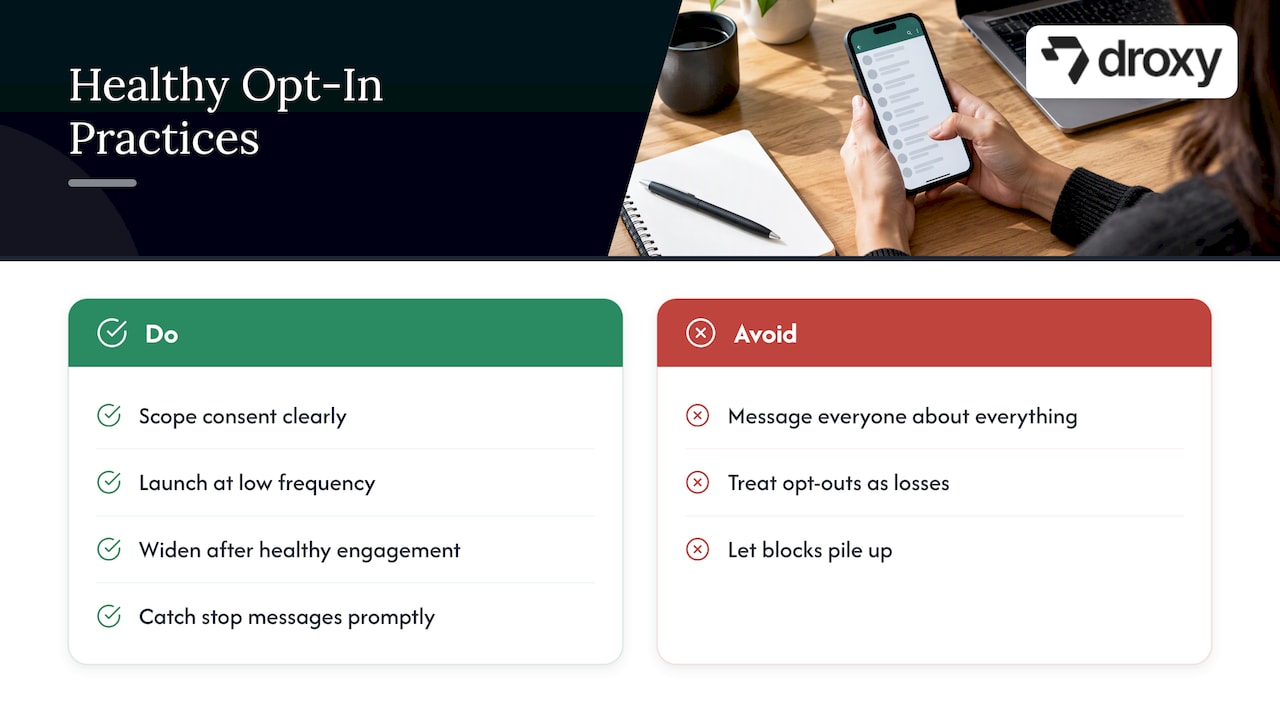
Most opt-in problems I see are not legal puzzles. They are volume problems. Teams collect consent, then message everyone about everything, and the blocks pile up. Start with a clear, scoped consent flow and launch at low frequency so you can see how people actually respond. If engagement is healthy, widen the program step by step.
Treat every opt-out as useful feedback rather than a loss. A person who leaves cleanly never becomes a report, and reports are what hurt your sending reputation. Pair that with a shared inbox or automation that catches “stop” messages promptly, and you protect both your customers and your number. Fewer, more relevant messages almost always beat more messages.
— Elena
How we can set up compliant opt-in flows and consent records
We built an AI powered WhatsApp agent that handles customer conversations on WhatsApp around the clock. Because our platform is no-code, your team can adjust wording and flows without waiting on developers.
If you want to see where this fits in your budget, our plans are Basic, Advanced and Enterprise, starting from $16 per month for Basic, and you can compare them on our pricing page. For ideas on automation before you start, our WhatsApp auto reply pilot shows what an initial pilot can look like. Pick a plan, connect your WhatsApp number and let us handle customer conversations.

FAQ
What does opt in for WhatsApp service mean?
It means a person has clearly agreed to receive messages from your business on WhatsApp. WhatsApp’s policy requires that the consent state their agreement to WhatsApp messages and name your business.
Do I need separate opt-in for marketing and service messages?
Yes, separate consents by category are the safest approach. A customer who agreed to order updates has not necessarily agreed to promotions, so record each category on its own tag.
Will the person know if I send a WhatsApp broadcast message?
Recipients may be able to block you, report you or stop promotions. Send broadcasts only to people who opted in.
Why might WhatsApp say I violated its terms?
The usual causes are messaging people without valid consent, ignoring opt-outs, or sending content that draws many blocks and reports. WhatsApp’s policy says such behavior can lead to restrictions on your account.
Sources
Recommended
WhatsApp lets you message someone only when you hold their phone number and their explicit consent, and that consent must name your business and say they agree to receive WhatsApp messages. Record when and where each person opted in, honor every opt-out quickly, and follow local marketing and data-protection law on top of WhatsApp’s own policy.
TL;DR:
WhatsApp requires a phone number and explicit consent naming your business and WhatsApp; consent must precede promotions and match the agreed message categories.
Record each person’s phone number, exact consent wording and version, timestamp, source, and message categories; dated screenshots or immutable logs can support disputes.
Replying to a customer’s support message does not authorize marketing, and a click to chat ad may still require explicit consent in the first conversation.
Opt outs through WhatsApp controls or messages such as STOP are binding; suppress contacts when each campaign is sent and never retry error 131050.
DroxyAnswer WhatsApp Inquiries Without DelaysDroxy lets businesses deploy AI agents on WhatsApp for instant, 24/7 customer interactions, alongside support across other channels.Explore Droxy
Table of Contents
What does WhatsApp’s opt-in policy require from your business?
Where can you collect WhatsApp opt-ins, and how?
How should you record and manage consent in your systems?
What happens when someone opts out?
Which opt-in wording can you copy?
Our perspective: start small, protect quality
How we can set up compliant opt-in flows and consent records
Sources
What does WhatsApp’s opt-in policy require from your business?
The test has two parts. First, you need the person’s phone number. Second, you need explicit consent saying they want to receive messages from your business on WhatsApp. WhatsApp’s business policy states that the consent must clearly say the person agrees to receive WhatsApp messages and must state your business name. How you collect that consent is up to you, as long as the method complies with applicable law.
Meta’s developer opt-in guidance boils the requirements down to a short checklist:
State clearly that the person is opting in to receive communication from your business.
State your business name.
Comply with applicable law in the market where the person lives.
Notice what is missing: WhatsApp does not hand you a mandatory form or a fixed sentence. You choose the method, which means you also carry the burden of proving it worked. If a customer disputes a message, “they signed up somewhere” is not an answer. A dated record with the exact wording shown is.
Enforcement runs on quality signals. User reports, blocks and other system signals feed into how WhatsApp rates your sending. Poor ratings may lead to enforcement, and the policy warns that businesses may face account restrictions. Think of consent as the foundation and message quality as the ongoing test: even a perfectly collected opt-in will not protect a number that sends irrelevant offers to people who tap “block.”
Opt-in builds an audience that wants to hear from you. WhatsApp for Business notes that customers are more likely to opt in to marketing from brands they trust, so trust comes before the ask.
The practical takeaway is simple. You control how consent is collected, but you must be able to demonstrate it on request. Build the collection flow and the record-keeping together, not one after the other.
Where can you collect WhatsApp opt-ins, and how?
You can collect consent at almost any customer touchpoint. What matters is that the wording is explicit and the moment is logged. Here is how to handle each channel.
Website and checkout. Use an unticked checkbox next to wording that names your business and the scope, such as order updates or promotions. Never pre-check the box. Place the WhatsApp logo near the control so people know which channel they are choosing.
Signup and lead forms. Add a separate phone field and a separate consent line for WhatsApp. Bundling it into a general “I accept the terms” box does not make the consent explicit.
Click-to-WhatsApp ads and social channels. An ad click starts a conversation, but it may not capture full consent. If the initial flow does not state the business name and the message scope, ask for explicit opt-in in the first chat before sending anything promotional. WhatsApp’s commerce guidance describes using these ads to grow an opted-in audience for later campaigns.
QR codes and in-store. Let the customer scan, land in a pre-filled chat, and confirm the opt-in with a reply. Log it immediately, while the context is fresh.
IVR and SMS. The spoken or texted wording should state that the caller agrees to receive WhatsApp messages from your business by name. Save a copy of the script version and tie it to the phone number.
Support-initiated chats. When a customer writes to you first, you can respond to their inquiry, but do not assume this gives consent for other messages. Do not treat that conversation as marketing consent. Ask separately, in plain words, if you want to send promotions later.
In person. Staff can collect consent on a tablet or paper form. Make sure the form shows your business name and the WhatsApp mention, and store the result promptly.
Pro Tip: Offer something useful in exchange for the opt-in, such as order tracking or appointment reminders. WhatsApp’s marketer guidance says messaging that helps shoppers raises their willingness to opt in, so lead with value, not with the ask.
A few UX habits keep you on the safe side. Keep the scope narrow and visible: if you say “order updates,” do not send discount blasts. Use short, plain language rather than legal paragraphs. And if you want to answer first-chat opt-ins instantly, a simple auto reply helps; this guide to WhatsApp auto replies walks through greeting and quick-reply setup. For template ideas once consent is in place, see our WhatsApp message templates article.
Finally, remember timing. Consent must come before you send marketing messages, not after. A confirmation message that asks “do you agree?” after you have already sent a promotion is not consent, it is a complaint waiting to happen. Also keep the content of your messages matched to what the person agreed to: someone who opted in to delivery updates has not agreed to a sales campaign.
How should you record and manage consent in your systems?
A consent you cannot prove is a consent you may not have. Store a consent record for every contact, and treat it like financial data: complete, timestamped and hard to alter.
Log at least these fields:
Phone number in international format.
Exact opt-in wording the person saw or heard, including the version of the form or script.
Date and time of consent.
Channel or source, such as checkout, QR code at store A, or IVR line.
Message categories consented to, for example orders, appointments, offers.
Transaction or IP identifier where you can capture one.
Next, tag each contact so your sending tools can filter without guesswork. A simple model works well: a marketing flag, a service flag, category tags for orders and offers, and a last-updated timestamp. Separate consents by category matter because agreeing to shipping updates is not agreeing to promotions. If a person later changes their mind about one category, you update one tag, not the whole record.
Automation closes the loop. Monitor for changes to a person’s messaging preferences, including requests to stop promotions. Capture those events, update the contact record, and sync the status to your CRM before every campaign send. Shared inboxes help too: when an inbound message says “stop” or something similar, the agent or automation can tag the contact on the spot.
For audit readiness, keep immutable logs or screenshots of the consent flow as it looked on the day each version went live. If an appeal or dispute ever lands on your desk, a dated screenshot of the checkbox and its wording settles the question quickly. For a wider view of operational hygiene around campaigns, this marketing automation checklist pairs well with a consent program.
What happens when someone opts out?
Opt-outs arrive two ways. The first is in the app: people can use available controls to stop promotions. After an opt-out, stop sending marketing messages to that contact. The second is inbound: a customer types STOP, “unsubscribe” or a plain request like “please stop messaging me.” The policy says businesses must respect opt-out requests, so treat both routes as binding.
Here is what to do:
Never retry a 131050 failure. It is a signal, not a glitch. Mark the contact as opted out of marketing and remove them from your audiences.
Action inbound requests promptly. Update the consent record, confirm briefly if appropriate, and stop promotional sends.
Filter at send time. Check consent status when the campaign launches, not when the list was built weeks earlier.
Watch the quality signals. Rising blocks and reports mean your messages are too frequent or not relevant. Reduce volume and tighten targeting before WhatsApp does it for you.
Quality enforcement is part of the policy itself. WhatsApp’s business policy says businesses may be subject to blocks, reports and account restrictions, so a clean opt-out process protects your number as much as your customers.
An opt-out from marketing does not erase the relationship. Check that you have valid consent for any other messages you plan to send, and honor any request to stop those messages too. This is exactly why per-category tagging pays off.
Which opt-in wording can you copy?
Each line below names the business, mentions WhatsApp messaging and states the scope. Swap in your own business name.
Checkout checkbox (unticked): “Yes, send me order updates from [Business Name] on WhatsApp.”
Signup form, promotions: “I agree to receive offers and news from [Business Name] as WhatsApp messages.”
Click-to-chat first reply: “Welcome to [Business Name]! Reply YES to receive order updates and offers here on WhatsApp.”
QR flow confirmation: “You scanned our code. Reply OPT IN to get WhatsApp messages from [Business Name] about your bookings.”
IVR script: “To get appointment reminders from [Business Name] on WhatsApp, press 1.”
SMS confirmation: “Reply YES to receive WhatsApp messages from [Business Name]. Reply STOP anytime to opt out.”
Avoid pre-checked boxes, vague phrases like “stay in touch,” and any copy that leaves out the business name or the WhatsApp mention. If you collect more than one category, give each its own line and its own checkbox.
Our perspective: start small, protect quality
Most opt-in problems I see are not legal puzzles. They are volume problems. Teams collect consent, then message everyone about everything, and the blocks pile up. Start with a clear, scoped consent flow and launch at low frequency so you can see how people actually respond. If engagement is healthy, widen the program step by step.
Treat every opt-out as useful feedback rather than a loss. A person who leaves cleanly never becomes a report, and reports are what hurt your sending reputation. Pair that with a shared inbox or automation that catches “stop” messages promptly, and you protect both your customers and your number. Fewer, more relevant messages almost always beat more messages.
— Elena
How we can set up compliant opt-in flows and consent records
We built an AI powered WhatsApp agent that handles customer conversations on WhatsApp around the clock. Because our platform is no-code, your team can adjust wording and flows without waiting on developers.
If you want to see where this fits in your budget, our plans are Basic, Advanced and Enterprise, starting from $16 per month for Basic, and you can compare them on our pricing page. For ideas on automation before you start, our WhatsApp auto reply pilot shows what an initial pilot can look like. Pick a plan, connect your WhatsApp number and let us handle customer conversations.
FAQ
What does opt in for WhatsApp service mean?
It means a person has clearly agreed to receive messages from your business on WhatsApp. WhatsApp’s policy requires that the consent state their agreement to WhatsApp messages and name your business.
Do I need separate opt-in for marketing and service messages?
Yes, separate consents by category are the safest approach. A customer who agreed to order updates has not necessarily agreed to promotions, so record each category on its own tag.
Will the person know if I send a WhatsApp broadcast message?
Recipients may be able to block you, report you or stop promotions. Send broadcasts only to people who opted in.
Why might WhatsApp say I violated its terms?
The usual causes are messaging people without valid consent, ignoring opt-outs, or sending content that draws many blocks and reports. WhatsApp’s policy says such behavior can lead to restrictions on your account.
Sources
Recommended



🚀
Powered by Droxy
Turn every interaction into a conversion
Customer facing AI agents that engage, convert, and support so you can scale what matters.
✨
Learn more
Recent posts

Insights
3 min read
Introducing Agent Memories
Improve your agents' performance with Agent Memories. Prevent agents from repeating the same mistakes by giving them feedback.
Read more

Insights
15 min read
HVAC Marketing in 2025: The Definitive Lead Gen Guide
Discover 15 proven HVAC marketing strategies, plus learn how Droxy's AI website agent converts curious visitors into qualified leads by answering their questions instantly - right when they're most interested in your services.
Read more

Insights
10 min read
10 Best AI Sales Agents in 2025: Tested & Ranked
Discover the top 10 AI sales agents of 2025, designed to enhance lead generation, personalize outreach, and ultimately, close more deals
Read more
Insights
3 min read
Introducing Agent Memories
Improve your agents' performance with Agent Memories. Prevent agents from repeating the same mistakes by giving them feedback.
Read more
Insights
15 min read
HVAC Marketing in 2025: The Definitive Lead Gen Guide
Discover 15 proven HVAC marketing strategies, plus learn how Droxy's AI website agent converts curious visitors into qualified leads by answering their questions instantly - right when they're most interested in your services.
Read more