AI Chatbot Personalization: What Works and How to Start
AI Chatbot Personalization: What Works and How to Start
Insights
16 min
AI chatbot personalization means your bot answers each person based on who they are, what they asked before and what they are trying to do right now, instead of handing everyone the same script. Done well, it shortens the path to an answer, a booking or a sale. Done badly, it feels invasive or robotic. This guide shows what to personalize, which data you actually need, where privacy draws the line, and how to set it up without writing code.
DroxyMake Every AI Conversation Feel On-BrandDroxy lets you customize AI agents to match your brand’s voice and answer customer questions across chat, phone, and social channels.Explore Droxy
TL;DR
Personalize around intent and context first (the page, the question, the channel), and use stored customer details second.
You do not need to collect more data to sound personal. Pulling answers from your own policies, catalog and calendar does most of the work.
Match the bot’s voice to your brand, and give each separate use of personal data its own clear consent.
Use structured workflows for transactions and generative AI for flexible conversation. A hybrid is often best.
Measure resolution rate, response time and lead conversion, then adjust every month.
Table of Contents
What personalization in a chatbot really means
Start with the data you already have
Five tactics that make a chatbot feel personal
Voice: making the bot sound like you
Rule-based or generative: pick by the job
Personalization by industry
Privacy: personalize without crossing the line
Our perspective: personal means useful
How to set up a personalized chatbot, step by step
Measure what personalization is doing
Try it with Droxy
Sources
What personalization in a chatbot really means
Most people think of a bot that says “Hi Sarah.” That is the smallest piece. Real personalization works on four levels:
Context: the page the visitor is on, the product in the cart, the channel they chose (website chat, WhatsApp, Instagram, phone).
Intent: what the person is trying to get done, such as tracking an order, booking a visit or comparing options.
History: past conversations, previous purchases, open tickets.
Voice: the tone, vocabulary and level of formality that sound like your business and suit the person asking.
Expectations are high. A 2026 paper in Frontiers in Artificial Intelligence, citing a McKinsey survey of 5,000 consumers in North America and Europe, reports that 71% of consumers expect personalized interactions and 76% are frustrated when they do not get them. That survey dates from 2021, so treat it as a signal of direction, not a current benchmark.
People are also open to AI doing the personalizing. An IBM-commissioned study of consumers in the UK and Ireland found 62% are comfortable with AI agents making personalized suggestions, and the features that most influenced adoption were convenience (40%), data security (37%) and 24/7 support (35%). It covers two markets outside the US, but the pattern is useful: speed and trust matter together.
Start with the data you already have
A common fear is that a bot needs a giant customer profile to feel personal. It does not. The better question is which data changes the answer.
Data layer | Example | Changes the answer by | Sensitivity |
|---|---|---|---|
Page and session | Visitor is viewing a water heater page | Answering product-specific questions without asking | Low |
Channel | Message arrives on WhatsApp at 9 p.m. | Short replies, quick booking links | Low |
Business knowledge | Your return policy, price list, service area | Accurate, company-specific answers | Low |
Stated preferences | “I need a morning slot” | Offering matching times | Medium |
Customer record | Past orders, appointment history | Order status, rebooking, upsells | Medium to high |
Health or financial details | Symptoms, account numbers | Rarely needed in chat; route to a person | High |
Work from the top of the table down and stop as soon as the answer is good enough. Each row you add increases your privacy duties and your risk.
NIST’s research on its own internal chatbot points the same way. Its NCCoE chatbot report describes a bot that draws on a curated document set to answer questions. For a business, that translates into retrieval from your own policies and product information rather than training a model on individual customers’ private details.
Five tactics that make a chatbot feel personal
1. Answer from your own knowledge, not generic knowledge
The fastest personalization is accuracy. A bot that quotes your actual hours, your actual shipping rules and your actual service area feels like part of your team. Connect your website, help center, PDFs and product feeds so the agent answers from them. Droxy lets you combine multiple knowledge sources in one agent, so you can keep content where it already lives.
2. Let the context do the asking
If a visitor opens chat from a pricing page, do not make them explain what they are interested in. Open with something relevant to that page. On a product page, the bot can offer sizing help or compare two items. In a real estate setting, it can start from the listing the person is viewing and offer to book a showing.
3. Recommend instead of listing
Product recommendations are where personalization meets revenue. Ask one or two clarifying questions (budget, use, timing), then suggest one to three options with a reason. A short, reasoned suggestion outperforms a catalog dump because it removes work for the shopper.
4. Remember the conversation, not the person’s whole life
Within a conversation, the bot should never ask for something already given. Across conversations, remember only what helps: preferred language, an open order, the last appointment. Anything beyond that should be a deliberate decision, not a default.
5. Hand off with context
Personalization includes knowing when to stop. When a question is sensitive, emotional or high value, the bot should pass the chat to a human along with a summary, so the customer never repeats themselves. This is the moment people remember most.
Voice: making the bot sound like you
Voice is the part of personalization customers notice first. Decide on three or four traits (friendly, direct, calm, playful), then write a few example replies in your own words and use them as the bot’s guide. Set rules for what it should never do, such as promising delivery dates it cannot verify or using slang with a formal audience.
If your team drafts greeting messages or scripts with a writing assistant, read them aloud before publishing. Guides on how to humanize AI text with instructions can help you edit stiff phrasing so scripts sound like a person wrote them. Then test the bot with real questions from your inbox, not invented ones.
For global businesses, language is part of voice too. A bot that replies in the visitor’s language feels personal immediately. We cover how to do this without a development team in our multilingual chatbot guide.
Rule-based or generative: pick by the job
Not every conversation needs a creative AI. IBM’s overview of conversational AI for customer service says rule-based systems suit simple, straightforward needs, while generative AI suits needs that call for more personalization and creativity. It also notes that many successful deployments combine both.
A practical split:
Structured flow: order status, appointment confirmation, address changes, anything with a fixed outcome.
Generative conversation: open questions, product advice, comparisons, “what should I choose?” questions.
Human: complaints, exceptions, regulated advice, anything the customer asks a person for.
The real gains come when the bot does things, not just talks. IBM’s AGL Energy case study describes an Australian energy retailer connecting conversational AI to back-end systems so it can handle tasks such as updating an address. The lesson transfers to small businesses: connect your calendar, CRM or store, and personalization becomes action. For a deeper look at the difference, see our explainers on AI agents versus chatbots and chatbots versus conversational AI.
Personalization by industry
Ecommerce. Use cart and page context to answer shipping, sizing and stock questions, then recommend products. Hand off to a human for damaged-item claims.
Hospitality. Offer room types or table times that fit party size and dates, answer in the guest’s language, and take bookings at any hour.
Home services. Collect the job type, address and urgency in the first few messages, then offer the next available slot. A customer with a leaking pipe does not want a menu.
Real estate. Qualify by budget, area and timeline, then book showings. Capture contact details only after the visitor sees value.
Healthcare practices. Keep it administrative: hours, directions, appointment requests, insurance questions. Route anything clinical to staff. Do not collect health details in chat unless your compliance team has approved it.
Agencies. Build a separate voice and knowledge base for each client so every bot matches that client’s brand, not yours.
If you want to see what this looks like in practice, our AI customer service examples article walks through real scenarios.
Privacy: personalize without crossing the line
More data does not automatically mean better personalization. NIST’s research notes that over-personalization can trigger privacy concerns, and recommends approaches like anonymized interaction data or retrieval from company documentation instead of training a bot on sensitive individual data.
A few rules we recommend:
Decide the lawful basis before launch. If you serve people in the EU or UK, GDPR applies to them wherever your business is based. Under GDPR consent rules, each separate data processing operation needs its own consent, for example marketing emails versus website analytics. Do not bundle them in one checkbox.
Keep personal details out of the AI model where you can. Allianz Taiwan Life’s case study describes this pattern: the AI interprets what the customer wants, while a secure internal layer performs the actual data update.
Treat AI risk as ongoing. NIST describes AI risk management as a socio-technical process, and it stresses monitoring for bias and privacy risks throughout the system’s life, because the data an AI works with changes.
Publish a plain chatbot privacy notice. Our guide to chatbot privacy policy clauses lists what to include, and our piece on chatbot security covers access controls and breach prevention.
This is general information, not legal advice. If you handle health, financial or children’s data, ask a privacy attorney or your compliance officer to review the setup before you go live.
Our perspective: personal means useful
We talk with business owners every week who assume personalization means a creepy level of knowledge about the customer. In our experience building Droxy, the opposite is true. People feel looked after when the bot is fast, accurate, in the right language and clear about when a human steps in.
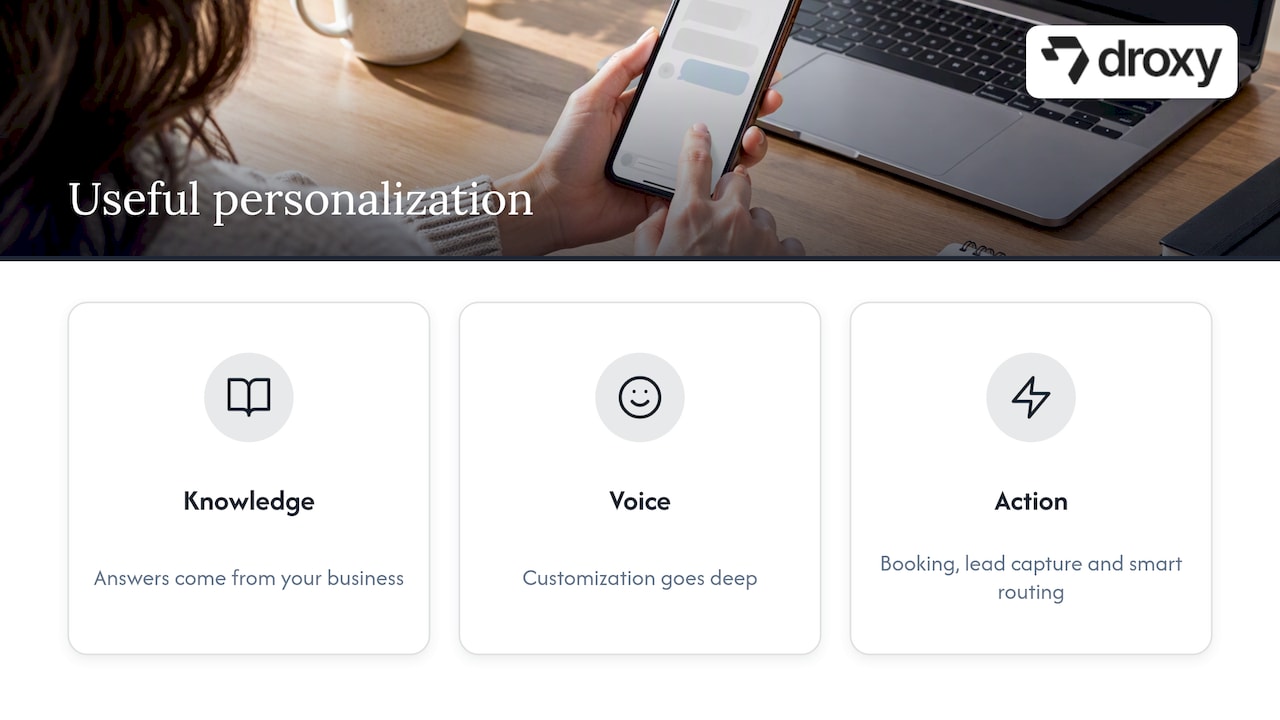
So we build around three ideas. First, the answer must come from your business, which is why knowledge integration sits at the center of every agent. Second, the voice must be yours, which is why customization goes deep. Third, the agent must be able to act, through appointment booking, lead capture, smart routing and connections to your existing systems through an API or Zapier.
One research finding supports keeping the effort simple. A 2025 study of 475 participants found that gender-based personalization of a service chatbot led to stronger intention to use it again than personality-trait matching, and the authors suggest focusing on perceived usefulness and enjoyment rather than deep personality matching. It is one study of one setup, but it matches what we see: usefulness beats cleverness.
If you remember one thing, start small. One channel, one clear goal, a good knowledge base. Add personalization layers only when the data shows a gap.
— Elena
How to set up a personalized chatbot, step by step
Pick one goal. Faster answers, more booked appointments, fewer tickets, more captured leads. Choose one.
Collect your sources. Gather your FAQ, policies, price lists and product details in one place and clean out anything outdated.
Define the voice. Write three traits and five sample replies.
Choose the channel. Start where your customers already write to you: website chat, WhatsApp, Instagram, Facebook or phone.
Set hand-off rules. List topics that always go to a human, and make the hand-off carry the conversation summary.
Test with real questions. Pull 50 recent customer messages and see how the bot responds. Fix gaps in the knowledge base, not with more rules.
Launch, then review weekly for a month. Read transcripts, find where people drop off, and update.
If you are still choosing a tool, our guide on choosing the right chatbot for customer service lists the criteria that matter, and the chatbot versus ChatGPT comparison explains why a general-purpose assistant is not a customer-facing agent.
Measure what personalization is doing
Track a small set of numbers:
Resolution rate: the share of conversations solved without a human. IBM’s AGL Energy case study cites one example where AI handled 36 to 38% of monthly chat interactions, which shows how much the figure varies by business and setup. Set your own baseline.
First response time: should be near instant on every channel.
Lead conversion: chats that end in a booking, a quote request or a purchase.
Hand-off quality: how often a human has to ask the customer to repeat information.
Satisfaction: a one-question rating at the end of the chat.
Compare before and after with the same time window. Droxy’s analytics show conversations and outcomes in one dashboard, so you can see which questions the agent handles well and which need better knowledge.
Try it with Droxy
Droxy is a no-code platform for deploying AI agents across website chat, phone, WhatsApp, Instagram, Facebook and Shopify. You can customize the voice, connect your knowledge sources, capture leads, book appointments and hand off to your team. Agencies can create white-labeled agents for clients. Plans start with Basic from $16 per month, with Advanced from $80 per month and Enterprise from $240 per month. See the details on our pricing page, or create your first agent.
FAQ
Does a chatbot need customer data to be personalized?
No. Context such as the page, channel and question, plus accurate business knowledge, delivers most of the value. Add customer records only when they change the answer, such as order status or an upcoming appointment. Fewer data points also mean less privacy risk.
Is a personalized chatbot safe for customer privacy?
It can be, if you design for it. Get separate consent for separate uses of data, keep sensitive details out of the AI model where possible, and publish a clear notice. For regulated data such as health information, involve your compliance team or an attorney first.
Should I use a rule-based bot or generative AI?
Use structured flows for fixed tasks like confirming an appointment, and generative AI for open questions like product advice. Many businesses combine both. Add a human hand-off for anything sensitive.
How long does it take to launch a personalized chatbot?
With a no-code platform, a first version can go live quickly once your knowledge sources are ready. The slower part is cleaning content and testing with real questions, so budget your time there.
Sources
Frontiers in Artificial Intelligence: AI-driven personalization and customer experience
IBM Study: Growing Customer Acceptance of AI in UK and Ireland
ScienceDirect: Reevaluating personalization in AI-powered service chatbots
Recommended
AI chatbot personalization means your bot answers each person based on who they are, what they asked before and what they are trying to do right now, instead of handing everyone the same script. Done well, it shortens the path to an answer, a booking or a sale. Done badly, it feels invasive or robotic. This guide shows what to personalize, which data you actually need, where privacy draws the line, and how to set it up without writing code.
DroxyMake Every AI Conversation Feel On-BrandDroxy lets you customize AI agents to match your brand’s voice and answer customer questions across chat, phone, and social channels.Explore Droxy
TL;DR
Personalize around intent and context first (the page, the question, the channel), and use stored customer details second.
You do not need to collect more data to sound personal. Pulling answers from your own policies, catalog and calendar does most of the work.
Match the bot’s voice to your brand, and give each separate use of personal data its own clear consent.
Use structured workflows for transactions and generative AI for flexible conversation. A hybrid is often best.
Measure resolution rate, response time and lead conversion, then adjust every month.
Table of Contents
What personalization in a chatbot really means
Start with the data you already have
Five tactics that make a chatbot feel personal
Voice: making the bot sound like you
Rule-based or generative: pick by the job
Personalization by industry
Privacy: personalize without crossing the line
Our perspective: personal means useful
How to set up a personalized chatbot, step by step
Measure what personalization is doing
Try it with Droxy
Sources
What personalization in a chatbot really means
Most people think of a bot that says “Hi Sarah.” That is the smallest piece. Real personalization works on four levels:
Context: the page the visitor is on, the product in the cart, the channel they chose (website chat, WhatsApp, Instagram, phone).
Intent: what the person is trying to get done, such as tracking an order, booking a visit or comparing options.
History: past conversations, previous purchases, open tickets.
Voice: the tone, vocabulary and level of formality that sound like your business and suit the person asking.
Expectations are high. A 2026 paper in Frontiers in Artificial Intelligence, citing a McKinsey survey of 5,000 consumers in North America and Europe, reports that 71% of consumers expect personalized interactions and 76% are frustrated when they do not get them. That survey dates from 2021, so treat it as a signal of direction, not a current benchmark.
People are also open to AI doing the personalizing. An IBM-commissioned study of consumers in the UK and Ireland found 62% are comfortable with AI agents making personalized suggestions, and the features that most influenced adoption were convenience (40%), data security (37%) and 24/7 support (35%). It covers two markets outside the US, but the pattern is useful: speed and trust matter together.
Start with the data you already have
A common fear is that a bot needs a giant customer profile to feel personal. It does not. The better question is which data changes the answer.
Data layer | Example | Changes the answer by | Sensitivity |
|---|---|---|---|
Page and session | Visitor is viewing a water heater page | Answering product-specific questions without asking | Low |
Channel | Message arrives on WhatsApp at 9 p.m. | Short replies, quick booking links | Low |
Business knowledge | Your return policy, price list, service area | Accurate, company-specific answers | Low |
Stated preferences | “I need a morning slot” | Offering matching times | Medium |
Customer record | Past orders, appointment history | Order status, rebooking, upsells | Medium to high |
Health or financial details | Symptoms, account numbers | Rarely needed in chat; route to a person | High |
Work from the top of the table down and stop as soon as the answer is good enough. Each row you add increases your privacy duties and your risk.
NIST’s research on its own internal chatbot points the same way. Its NCCoE chatbot report describes a bot that draws on a curated document set to answer questions. For a business, that translates into retrieval from your own policies and product information rather than training a model on individual customers’ private details.
Five tactics that make a chatbot feel personal
1. Answer from your own knowledge, not generic knowledge
The fastest personalization is accuracy. A bot that quotes your actual hours, your actual shipping rules and your actual service area feels like part of your team. Connect your website, help center, PDFs and product feeds so the agent answers from them. Droxy lets you combine multiple knowledge sources in one agent, so you can keep content where it already lives.
2. Let the context do the asking
If a visitor opens chat from a pricing page, do not make them explain what they are interested in. Open with something relevant to that page. On a product page, the bot can offer sizing help or compare two items. In a real estate setting, it can start from the listing the person is viewing and offer to book a showing.
3. Recommend instead of listing
Product recommendations are where personalization meets revenue. Ask one or two clarifying questions (budget, use, timing), then suggest one to three options with a reason. A short, reasoned suggestion outperforms a catalog dump because it removes work for the shopper.
4. Remember the conversation, not the person’s whole life
Within a conversation, the bot should never ask for something already given. Across conversations, remember only what helps: preferred language, an open order, the last appointment. Anything beyond that should be a deliberate decision, not a default.
5. Hand off with context
Personalization includes knowing when to stop. When a question is sensitive, emotional or high value, the bot should pass the chat to a human along with a summary, so the customer never repeats themselves. This is the moment people remember most.
Voice: making the bot sound like you
Voice is the part of personalization customers notice first. Decide on three or four traits (friendly, direct, calm, playful), then write a few example replies in your own words and use them as the bot’s guide. Set rules for what it should never do, such as promising delivery dates it cannot verify or using slang with a formal audience.
If your team drafts greeting messages or scripts with a writing assistant, read them aloud before publishing. Guides on how to humanize AI text with instructions can help you edit stiff phrasing so scripts sound like a person wrote them. Then test the bot with real questions from your inbox, not invented ones.
For global businesses, language is part of voice too. A bot that replies in the visitor’s language feels personal immediately. We cover how to do this without a development team in our multilingual chatbot guide.
Rule-based or generative: pick by the job
Not every conversation needs a creative AI. IBM’s overview of conversational AI for customer service says rule-based systems suit simple, straightforward needs, while generative AI suits needs that call for more personalization and creativity. It also notes that many successful deployments combine both.
A practical split:
Structured flow: order status, appointment confirmation, address changes, anything with a fixed outcome.
Generative conversation: open questions, product advice, comparisons, “what should I choose?” questions.
Human: complaints, exceptions, regulated advice, anything the customer asks a person for.
The real gains come when the bot does things, not just talks. IBM’s AGL Energy case study describes an Australian energy retailer connecting conversational AI to back-end systems so it can handle tasks such as updating an address. The lesson transfers to small businesses: connect your calendar, CRM or store, and personalization becomes action. For a deeper look at the difference, see our explainers on AI agents versus chatbots and chatbots versus conversational AI.
Personalization by industry
Ecommerce. Use cart and page context to answer shipping, sizing and stock questions, then recommend products. Hand off to a human for damaged-item claims.
Hospitality. Offer room types or table times that fit party size and dates, answer in the guest’s language, and take bookings at any hour.
Home services. Collect the job type, address and urgency in the first few messages, then offer the next available slot. A customer with a leaking pipe does not want a menu.
Real estate. Qualify by budget, area and timeline, then book showings. Capture contact details only after the visitor sees value.
Healthcare practices. Keep it administrative: hours, directions, appointment requests, insurance questions. Route anything clinical to staff. Do not collect health details in chat unless your compliance team has approved it.
Agencies. Build a separate voice and knowledge base for each client so every bot matches that client’s brand, not yours.
If you want to see what this looks like in practice, our AI customer service examples article walks through real scenarios.
Privacy: personalize without crossing the line
More data does not automatically mean better personalization. NIST’s research notes that over-personalization can trigger privacy concerns, and recommends approaches like anonymized interaction data or retrieval from company documentation instead of training a bot on sensitive individual data.
A few rules we recommend:
Decide the lawful basis before launch. If you serve people in the EU or UK, GDPR applies to them wherever your business is based. Under GDPR consent rules, each separate data processing operation needs its own consent, for example marketing emails versus website analytics. Do not bundle them in one checkbox.
Keep personal details out of the AI model where you can. Allianz Taiwan Life’s case study describes this pattern: the AI interprets what the customer wants, while a secure internal layer performs the actual data update.
Treat AI risk as ongoing. NIST describes AI risk management as a socio-technical process, and it stresses monitoring for bias and privacy risks throughout the system’s life, because the data an AI works with changes.
Publish a plain chatbot privacy notice. Our guide to chatbot privacy policy clauses lists what to include, and our piece on chatbot security covers access controls and breach prevention.
This is general information, not legal advice. If you handle health, financial or children’s data, ask a privacy attorney or your compliance officer to review the setup before you go live.
Our perspective: personal means useful
We talk with business owners every week who assume personalization means a creepy level of knowledge about the customer. In our experience building Droxy, the opposite is true. People feel looked after when the bot is fast, accurate, in the right language and clear about when a human steps in.
So we build around three ideas. First, the answer must come from your business, which is why knowledge integration sits at the center of every agent. Second, the voice must be yours, which is why customization goes deep. Third, the agent must be able to act, through appointment booking, lead capture, smart routing and connections to your existing systems through an API or Zapier.
One research finding supports keeping the effort simple. A 2025 study of 475 participants found that gender-based personalization of a service chatbot led to stronger intention to use it again than personality-trait matching, and the authors suggest focusing on perceived usefulness and enjoyment rather than deep personality matching. It is one study of one setup, but it matches what we see: usefulness beats cleverness.
If you remember one thing, start small. One channel, one clear goal, a good knowledge base. Add personalization layers only when the data shows a gap.
— Elena
How to set up a personalized chatbot, step by step
Pick one goal. Faster answers, more booked appointments, fewer tickets, more captured leads. Choose one.
Collect your sources. Gather your FAQ, policies, price lists and product details in one place and clean out anything outdated.
Define the voice. Write three traits and five sample replies.
Choose the channel. Start where your customers already write to you: website chat, WhatsApp, Instagram, Facebook or phone.
Set hand-off rules. List topics that always go to a human, and make the hand-off carry the conversation summary.
Test with real questions. Pull 50 recent customer messages and see how the bot responds. Fix gaps in the knowledge base, not with more rules.
Launch, then review weekly for a month. Read transcripts, find where people drop off, and update.
If you are still choosing a tool, our guide on choosing the right chatbot for customer service lists the criteria that matter, and the chatbot versus ChatGPT comparison explains why a general-purpose assistant is not a customer-facing agent.
Measure what personalization is doing
Track a small set of numbers:
Resolution rate: the share of conversations solved without a human. IBM’s AGL Energy case study cites one example where AI handled 36 to 38% of monthly chat interactions, which shows how much the figure varies by business and setup. Set your own baseline.
First response time: should be near instant on every channel.
Lead conversion: chats that end in a booking, a quote request or a purchase.
Hand-off quality: how often a human has to ask the customer to repeat information.
Satisfaction: a one-question rating at the end of the chat.
Compare before and after with the same time window. Droxy’s analytics show conversations and outcomes in one dashboard, so you can see which questions the agent handles well and which need better knowledge.
Try it with Droxy
Droxy is a no-code platform for deploying AI agents across website chat, phone, WhatsApp, Instagram, Facebook and Shopify. You can customize the voice, connect your knowledge sources, capture leads, book appointments and hand off to your team. Agencies can create white-labeled agents for clients. Plans start with Basic from $16 per month, with Advanced from $80 per month and Enterprise from $240 per month. See the details on our pricing page, or create your first agent.
FAQ
Does a chatbot need customer data to be personalized?
No. Context such as the page, channel and question, plus accurate business knowledge, delivers most of the value. Add customer records only when they change the answer, such as order status or an upcoming appointment. Fewer data points also mean less privacy risk.
Is a personalized chatbot safe for customer privacy?
It can be, if you design for it. Get separate consent for separate uses of data, keep sensitive details out of the AI model where possible, and publish a clear notice. For regulated data such as health information, involve your compliance team or an attorney first.
Should I use a rule-based bot or generative AI?
Use structured flows for fixed tasks like confirming an appointment, and generative AI for open questions like product advice. Many businesses combine both. Add a human hand-off for anything sensitive.
How long does it take to launch a personalized chatbot?
With a no-code platform, a first version can go live quickly once your knowledge sources are ready. The slower part is cleaning content and testing with real questions, so budget your time there.
Sources
Frontiers in Artificial Intelligence: AI-driven personalization and customer experience
IBM Study: Growing Customer Acceptance of AI in UK and Ireland
ScienceDirect: Reevaluating personalization in AI-powered service chatbots
Recommended



🚀
Powered by Droxy
Turn every interaction into a conversion
Customer facing AI agents that engage, convert, and support so you can scale what matters.
✨
Learn more
Recent posts

Insights
3 min read
Introducing Agent Memories
Improve your agents' performance with Agent Memories. Prevent agents from repeating the same mistakes by giving them feedback.
Read more

Insights
15 min read
HVAC Marketing in 2025: The Definitive Lead Gen Guide
Discover 15 proven HVAC marketing strategies, plus learn how Droxy's AI website agent converts curious visitors into qualified leads by answering their questions instantly - right when they're most interested in your services.
Read more

Insights
10 min read
10 Best AI Sales Agents in 2025: Tested & Ranked
Discover the top 10 AI sales agents of 2025, designed to enhance lead generation, personalize outreach, and ultimately, close more deals
Read more
Insights
3 min read
Introducing Agent Memories
Improve your agents' performance with Agent Memories. Prevent agents from repeating the same mistakes by giving them feedback.
Read more
Insights
15 min read
HVAC Marketing in 2025: The Definitive Lead Gen Guide
Discover 15 proven HVAC marketing strategies, plus learn how Droxy's AI website agent converts curious visitors into qualified leads by answering their questions instantly - right when they're most interested in your services.
Read more